
If you're managing more than one WordPress website, you're essentially facing a fork in the road. Do you opt for a unified WordPress Multisite network, or do you manage each site as a completely separate, individual WordPress installation? There’s no single right answer; the best path depends entirely on what you need in terms of control, security, and future growth.
Understanding Your Multi WordPress Site Options
Deciding how to structure your collection of WordPress websites is a foundational choice. It dictates everything from your day-to-day admin tasks to how you handle security threats down the line. The two main approaches—a centralised Multisite network versus isolated individual installations—come with very different strengths and weaknesses.
Let’s use a simple analogy to get to grips with the difference.
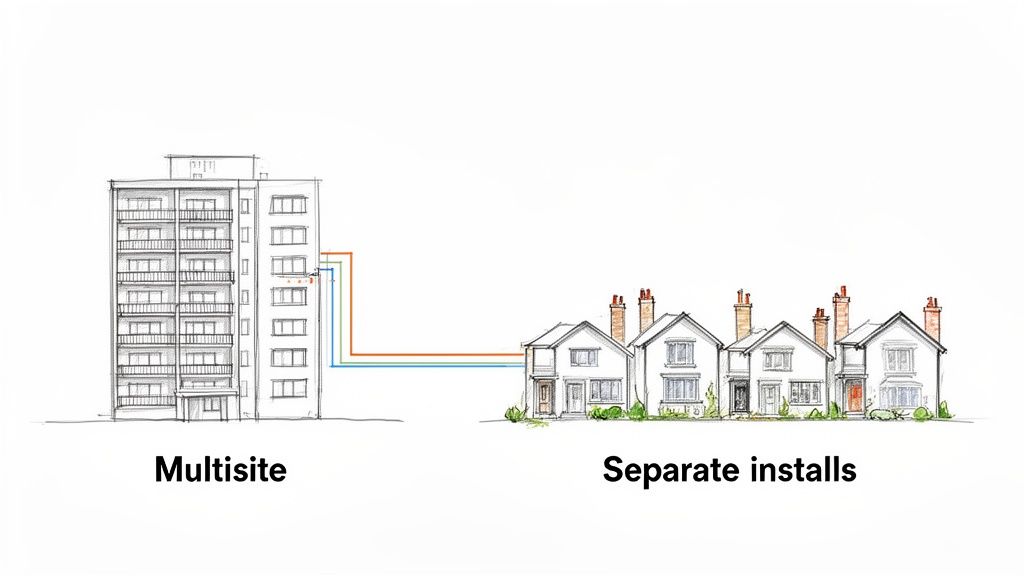
Think of WordPress Multisite as an apartment building. There's a single, shared foundation, a common set of utilities (your themes and plugins), and one superintendent who holds the master keys (the network administrator). Each flat is its own website, but they all live under one roof and share the core infrastructure. This makes managing shared resources incredibly efficient.
On the other hand, managing separate WordPress installations is like owning a street of detached houses. Each house has its own foundation, its own plumbing and wiring, and its own alarm system. Managing the whole street means you have to visit each house individually, but a problem in one—say, a burst pipe—has absolutely no impact on its neighbours. This approach is all about isolation and customisation.
Centralised Control vs. Total Isolation
At its heart, the decision boils down to a single question: do you need centralised control, or is total separation a must-have?
Centralised management is fantastic for organisations that need to maintain brand consistency and push out updates in one go. Think of a university with different subsites for each department or a business with websites for its various regional branches.
In contrast, total isolation is non-negotiable for digital agencies handling a portfolio of completely unrelated clients. In that situation, the security, performance, and plugin choices for one client's website must never, ever affect another's.
The main factors that should guide your choice are:
- Administrative Efficiency: How much time could you save by updating all your plugins and themes from a single dashboard?
- Security Risk: What's the potential fallout if one site in your network is compromised?
- Customisation Needs: Do all the sites use roughly the same set of tools, or does each one need unique, specialised functionality?
- Resource Management: Can your hosting plan handle the combined traffic and processing power of a shared network?
This decision tree gives you a clear visual for making the choice. If you need tight, unified control, you're heading towards Multisite. If you don't, separate installs are the way to go.
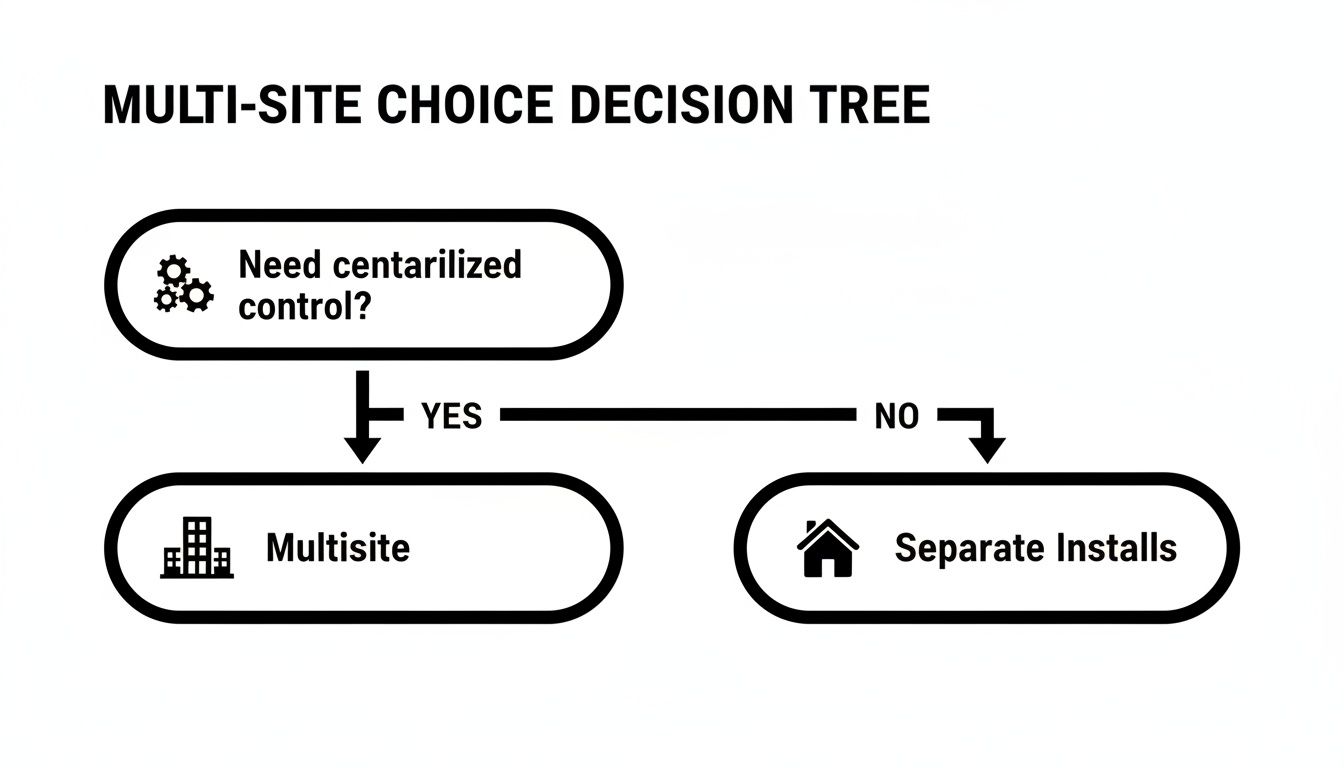
The takeaway is simple: if unified management is your number one priority, Multisite is the logical choice. For almost everything else, the security and flexibility of separate installations win out.
To make things even clearer, here’s a quick comparison of the two approaches side-by-side.
Multisite vs. Multiple Installs at a Glance
| Feature | WordPress Multisite | Separate WordPress Installs |
|---|---|---|
| Management | Centralised dashboard for all sites, themes, and plugins. | Each site has its own independent dashboard and login. |
| Updates | Update themes and plugins once for the entire network. | Themes and plugins must be updated on each site individually. |
| Security | A single breach can potentially compromise all sites on the network. | Security is isolated; a breach on one site doesn't affect others. |
| Customisation | All sites share the same pool of themes and plugins. | Each site can have its own unique themes and plugins. |
| User Roles | A single user login can access multiple sites with different roles. | Users need separate logins for each individual site. |
| Server Resources | Sites share server resources, which can be efficient but also risky. | Each site has its own dedicated resources (within its hosting plan). |
| Best For | University networks, corporate intranets, franchise sites. | Agencies managing client sites, affiliate marketers, diverse portfolios. |
This table should help you see the core trade-offs at a glance. It’s all about balancing convenience against isolation.
Why This Matters for UK Businesses
The sheer scale of WordPress adoption right here in the UK makes this a particularly important decision for local businesses and agencies. The UK is home to a staggering 1,362,281 active websites powered by WordPress, making it the second-largest hub for WordPress sites in the world, just behind the US.
This dominance highlights why getting multi-site management right is so crucial for driving UK commerce and content. As you can discover in these WordPress statistics on DiviFlash.com, a huge number of us rely on the platform. Understanding these fundamental architectural differences is the first step toward building a digital presence that is secure, manageable, and ready to scale.
When to Choose WordPress Multisite for Centralised Control
Opting for a multi WordPress site setup using the Multisite feature isn't just a technical decision; it's a strategic one. It's the right move when your main goal is to have unified, top-down control over a group of closely related websites. If the situations below sound familiar, then a Multisite network might just be the best tool in your arsenal.
Think of a large UK university. They need their main public-facing website, of course, but also separate sites for the Faculty of Arts, the School of Engineering, and the student union. All of these sites should share the university’s branding, core features, and probably the same login system for staff and students. This is a textbook case for WordPress Multisite.
It’s a similar story for a national franchise with branches from Cornwall to Aberdeen. The head office can set the overall design and control key plugins, while each local manager updates their own content, like opening hours and regional offers. This shared foundation makes maintaining brand consistency across the entire network practically effortless.
The Power of a Single Dashboard
By far the biggest win with Multisite is the sheer efficiency it brings to day-to-day management. As the Super Admin, you get a bird's-eye view of every single site in the network from one WordPress dashboard. This centralised command centre makes several critical tasks incredibly simple.
Here’s where you’ll really feel the benefits:
- One-Click Updates: Forget logging into dozens of different sites just to update a plugin. With Multisite, you do it once, and it rolls out across the entire network. This is a massive time-saver and ensures every site is running the latest, most secure code.
- Unified User Management: Users get a single account that can give them access to multiple sites. You could give a marketing manager editor access to all franchise sites, while a local branch manager can only touch their own.
- Controlled Functionality: As the Super Admin, you decide which themes and plugins are available for use. This stops individual site admins from installing dodgy add-ons that could compromise the security of the whole network.
This level of control is a game-changer for any organisation where brand consistency and security are non-negotiable. It turns deploying a critical security patch from a multi-hour panic into a simple one-click task.
“With WordPress Multisite, a critical security patch can be deployed across your entire network in a single click. This transforms a potential crisis into a routine maintenance task, safeguarding dozens or even hundreds of sites simultaneously.”
Ideal Use Cases for a Multisite Network
While it’s incredibly powerful, Multisite isn’t the answer for everything. It really comes into its own in specific scenarios where websites are closely linked and benefit from sharing the same core resources. If your project fits one of these descriptions, you’re on the right track.
Consider using Multisite if you’re building:
- A Corporate Network: Perfect for companies that need separate sites for different departments, internal blogs, or regional offices, all managed under one corporate identity.
- A Publishing Platform: A magazine or news outlet could give individual journalists or columnists their own sub-sites or blogs within the main publication.
- A Government Portal: A local council could have sub-sites for libraries, parks, and waste management, all offering a consistent experience for residents.
- A School or University System: As we've seen, it's ideal for managing sites for different faculties, sports teams, and student clubs.
The common thread here is the need for a shared foundation. The sites are distinct entities, but they aren't completely independent. They operate as part of a wider ecosystem, and the centralised control you get with a multi WordPress site network is exactly what makes that ecosystem manageable and efficient.
When Separate WordPress Installs Offer Better Security
While a Multisite network is fantastic for centralised control, sometimes the opposite approach is the right one. Managing individual WordPress installations is all about prioritising something far more critical for many businesses and agencies: security and isolation.
This method is the gold standard when your portfolio is a mixed bag of unrelated websites. Think of a digital agency in the UK managing sites for a dozen different clients – a local plumber, an e-commerce shop, and a corporate consultant. In this scenario, the primary goal is total, uncompromising separation between each client's digital world.
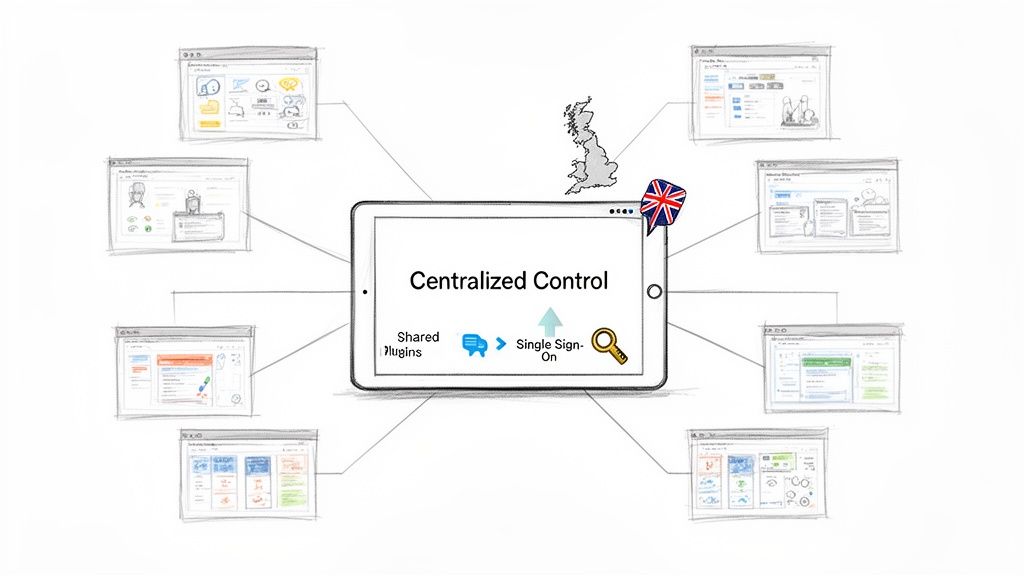
Picture each website as its own private, walled garden. Each has its own unique defences, its own resources, and its own gatekeeper. A problem in one garden—a security breach, a performance dip, or a dodgy plugin—has absolutely zero chance of affecting its neighbours. This separation isn't just a nice-to-have; it's non-negotiable when you're responsible for protecting client data and maintaining the integrity of each individual site.
The Critical Importance of Isolation
In a shared Multisite environment, a single vulnerable plugin can become a backdoor to every single site on the network. Cyberattacks often hunt for the weakest link, and once a vulnerability is found, an infection can spread like wildfire through the entire system. This risk of cross-contamination is precisely why separate installations are often the safer, more professional choice for a multi WordPress site setup involving distinct clients.
By keeping each WordPress installation separate, you’re effectively building a digital firebreak. A security incident on Client A's website is completely contained within their environment. The other eleven sites in your portfolio? They remain untouched and blissfully unaware.
This isolation brings some major security advantages to the table:
- Contained Breach Impact: If a site is compromised, the damage is limited to that single installation. You can take it offline for cleaning without disrupting any other client's business.
- Unique Security Profiles: Each site can have its own bespoke security measures. One might need a tough-as-nails firewall, while another just needs stronger login attempt limits.
- No Shared User Database: Separate installs mean separate user databases. A compromised user account on one site doesn't grant even a sliver of access to another.
This principle of containment is fundamental to professional website management. Sacrificing a little administrative convenience is a tiny price to pay for the robust security that total separation provides.
Unrestricted Freedom for Customisation
Beyond the huge security benefits, separate installations give you complete and utter freedom. Because absolutely nothing is shared, each website can be a unique creation, perfectly tailored to its purpose without any compromises. A Multisite network, by its nature, forces all subsites to pull from the same, centrally-approved pool of themes and plugins, which can feel incredibly restrictive.
With separate installs, those limitations vanish. One client might need a complex e-commerce setup with WooCommerce and specialised payment gateways. Another might require a lightweight theme focused purely on blogging and SEO. You can build each site with the exact tools it needs, without worrying about conflicts or bloating other sites with unnecessary code.
By embracing separate installations, you empower each website to function at its absolute best. You are free to choose the optimal theme, plugins, and configurations for each specific project, ensuring peak performance and functionality without compromise.
This level of customisation is crucial for digital agencies that pride themselves on delivering bespoke solutions. You can experiment with new plugins on one site without putting any others at risk, ensuring you always have the flexibility to meet unique client demands and deliver the best possible results.
When Separate is Simply Smarter
The choice for separate installations becomes crystal clear when you weigh the risks against the requirements. For agencies, freelance developers, and businesses managing unrelated digital assets, the benefits of isolation far outweigh the convenience of a shared dashboard.
This approach is the smarter strategy when:
- Clients Have Diverse Needs: Your portfolio includes e-commerce stores, corporate brochures, and personal blogs, each requiring a completely different toolset.
- Security is Paramount: You handle sensitive customer data or operate in industries like finance or healthcare with strict compliance rules.
- Performance is Critical: A high-traffic e-commerce site shouldn't have to share its server resources with a low-traffic blog, ensuring its speed is never throttled.
- You Need to Sell a Site: Transferring ownership of a single site is dead simple with a separate install. Trying to extract a subsite from a Multisite network, on the other hand, can be a technical nightmare.
Ultimately, choosing separate installs is a strategic decision to build a more resilient, flexible, and secure multi WordPress site portfolio. It's the professional standard for managing distinct client properties.
Optimising Hosting for Your Multi Site Setup
The success of your multi-WordPress site strategy, whether you've gone for a unified Multisite network or separate installs, really comes down to the quality of your hosting. Each approach puts different strains on a server, and getting your head around these is the key to giving your users a fast, stable experience.
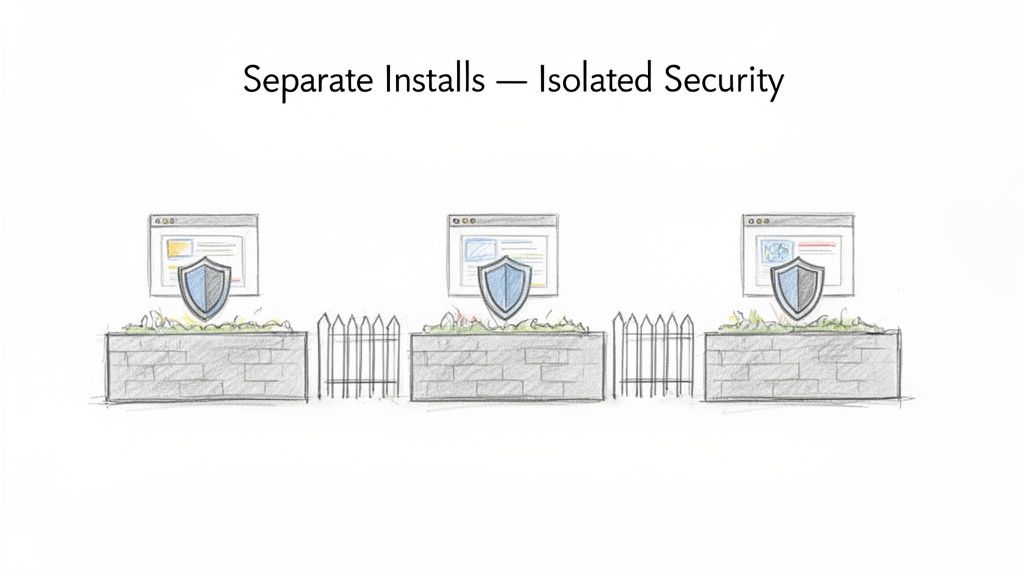
Think of a WordPress Multisite network like a busy office block. All the businesses inside share the building's core utilities—the electricity (CPU), water supply (RAM), and data lines (database access). If one office suddenly has a massive event and starts drawing huge amounts of power, the lights might flicker for everyone else. That’s why a Multisite setup demands seriously robust hosting.
On the other hand, running separate WordPress installs is more like managing a row of self-contained industrial units. Each has its own meter and infrastructure. A surge of activity in one unit doesn't affect its neighbours at all, because they aren't all drawing from the same pool. This separation gives you predictable performance and a natural layer of stability.
Matching Server Resources to Your Setup
When you're running a WordPress Multisite network, your main worry is having enough raw power to handle the combined traffic of every single subsite. This means you need a hosting environment that doesn't skimp on resources.
For a Multisite network to run smoothly, you’ll need:
- Plenty of CPU and RAM: Your server has to juggle requests from all your subsites at once without getting bogged down.
- A Finely-Tuned Database: Since one database powers the whole network, it must be able to handle a high volume of queries without creating a bottleneck.
- Serious Caching: A powerful server-side caching system is a must-have. It dramatically reduces the server's workload and gets pages to visitors much faster.
With separate installations, the game changes. It's less about one giant engine and more about clever resource management. While each site is smaller, you need a hosting platform that can keep them all happily separated, preventing one from hogging resources and slowing down the others.
The principle is simple: A Multisite network needs a single, powerful engine. Separate installs need multiple, reliable, and isolated engines. Either way, you need hosting built for performance, not just ticking a box.
The Role of Performance-Focused UK Infrastructure
Choosing the right provider is everything; it’s worth checking out the best WordPress hosting sites for 2024 to see what the top-tier players offer. For a UK-based audience, location matters. Hosting your sites on UK servers means data has less distance to travel, which translates directly to faster page loads and a much better user experience.
This is even more critical when you're managing multiple sites. Look for providers that use low-density servers, meaning they don't cram hundreds of accounts onto one machine. This ensures your sites aren't constantly fighting for resources, giving you the kind of stability and speed you can rely on, even when traffic spikes.
Security and Managed Hosting Considerations
WordPress dominates the web, holding a 61.0% CMS market share in the UK and powering around 1.36 million sites. With over 40% of UK small and medium businesses running three or more sites, they become an attractive target. In fact, UK sites face an average of 2,000 cyber attacks every single day, and poorly managed WordPress sites are often the weakest link.
This is where managed hosting stops being a "nice-to-have" and becomes an essential part of your strategy. A good managed host takes care of all the technical heavy lifting. They provide proactive security monitoring, run automated backups, and constantly tune the server for peak performance. It frees you up to focus on your business, knowing your websites are safe and fast.
To see what this looks like in practice, have a look at our breakdown of managed WordPress hosting in the UK. It's about turning your hosting from a monthly bill into a genuine business advantage.
Matching Hosting Plans to Your Multi Site Needs
Choosing the right plan can feel like a minefield, but it boils down to matching the server's capabilities and support level to the demands of your setup. The table below gives you a clear idea of how our Vivihosting plans align with different multi-site needs.
| Hosting Plan | Best For (Setup Type) | Key Features for Multi Site | Example Use Case |
|---|---|---|---|
| Growth Plan | Separate installs (2-3 low-traffic sites) | 50GB SSD storage, 1GB RAM, 1 hour monthly support | A freelance designer hosting a portfolio, a blog, and a small client project site. |
| Business Plan | Separate installs or a small Multisite | 75GB NVMe storage, 2GB RAM, 2 hours monthly support | An agency managing several client brochure sites or a small business with a main site and a blog. |
| Pro Plan | Demanding separate installs or Multisite | 100GB NVMe storage, 4GB RAM, 4 hours monthly support & dedicated account manager | A growing business running a main site, an e-commerce store, and a membership portal. |
Ultimately, the goal is to ensure you have enough headroom for traffic spikes and future growth, backed by expert support who understand the specific challenges of managing multiple WordPress sites.
Mastering Security and Backups in a Multi Site Environment
Whether you opt for a unified Multisite network or stick with separate WordPress installations, security and disaster recovery aren't optional extras. They’re absolutely fundamental. Getting this right across your chosen multi WordPress site setup means understanding the risks and having a solid plan in place before you ever need it.
The biggest drawback of a WordPress Multisite network is its security profile. Think back to our apartment building analogy: if a burglar finds one unlocked window (a dodgy plugin, perhaps), they’ve got a master key to the entire building. One vulnerability can compromise every single subsite, which is why rock-solid, centralised security is so critical.
Separate installations, on the other hand, have a much smaller "blast radius." A security breach on one site is more like a fire in a single detached house. It’s a huge problem for that one property, but the neighbours are safe and sound behind their own walls. That isolation is a major security plus.
Building a Proactive Security Posture
Waiting for a hack to happen before you take security seriously is a recipe for disaster. You need to be proactive, and this is where quality managed hosting provides an essential safety net, no matter which setup you choose. A strong defence is built in layers.
Your security toolkit should always include:
- A Web Application Firewall (WAF): This is your digital perimeter fence, filtering out malicious traffic before it even gets close to your website.
- Regular Malware Scanning: Think of this as a constant patrol. Automated, frequent scans hunt for and eliminate any threats that might have slipped through. At Vivihosting, we rely on Imunify360 for this constant vigilance.
- Strict User Permissions: In a Multisite network, be incredibly careful about who gets Super Admin access. For any setup, always follow the principle of least privilege—only give users the exact permissions they need to do their job, and nothing more.
This layered approach hardens your sites against the most common attacks, turning them from easy targets into well-defended fortresses.
The Non-Negotiable Role of Automated Backups
Even with the tightest security, you have to plan for the worst. This is where automated, reliable backups become your most important insurance policy. A recent, clean backup turns a catastrophe—a hack, a botched update, or simple human error—into a temporary inconvenience, not a permanent disaster.
Think of daily backups as a digital time machine. They give you the power to instantly rewind your website to a point before disaster struck, ensuring business continuity and peace of mind.
Regular, off-site backups are a core feature of any professional hosting service. It’s not just about knowing your data is saved; it's about being confident you can restore it quickly and easily. To get a better handle on this, you can learn more about how to back up your WordPress site in our detailed guide. It's knowledge every site owner needs.
UK Data and Compliance
For businesses focused on a UK audience, where your data lives is another key consideration. Hosting your multi WordPress site environment in UK-based data centres doesn't just give you a performance edge; it also helps with GDPR compliance by keeping user data within the correct jurisdiction.
The stakes are particularly high for UK digital agencies. In a market where 70% of new CMS-based websites are built on WordPress, a shocking 36.2% of sites without managed services suffer security breaches each year. The financial and reputational damage can be immense.
Proactive security tools like Imunify360 can slash these risks by over 90%, while UK-based servers keep latency to a minimum. A robust security and backup strategy isn't just good practice—it's a competitive necessity.
Practical Management and Migration Strategies
Knowing the theory is one thing, but putting it into practice day-to-day is where a good management strategy really shows its value. When you're running a multi WordPress site setup, your daily tasks go way beyond simple content updates. You need solid, efficient workflows for everything from routine maintenance and troubleshooting to the occasional nerve-wracking site migration.
Take updates, for instance. With a Multisite network, you can update a plugin or theme once from the Super Admin dashboard, and that change rolls out across every single site. It's a huge time-saver. If you're managing separate installs, you'll need a different game plan, usually leaning on a tool like ManageWP or MainWP to push updates to all your independent sites from one central dashboard.
Handling Site Migrations
Moving websites around can be a real technical headache. Shifting an entire Multisite network to a new server is a massive, all-or-nothing job. It demands careful handling of the database and files to avoid taking down the whole network. Think of it like trying to move an entire apartment block in one go – everything has to go perfectly.
On the other hand, migrating a single, standalone site is usually pretty simple. The real challenge comes when you want to merge several of those separate sites into a new Multisite network. This is a highly specialised task that involves untangling and then combining different databases and file structures. It's definitely a job best left to the experts if you want to avoid losing precious data.
Managing the migration of a multi WordPress site, especially when consolidating separate installs into a network, isn't just a technical task—it's a strategic operation. Professional migration services ensure data integrity and minimise downtime, safeguarding your digital assets throughout the transition.
Leveraging Expert Support
This is exactly where having dedicated support makes all the difference. Instead of losing hours trying to fix a failed update or navigate a tricky migration, you can just hand it over to an expert team. To see how this works in practice, check out our overview of WordPress website support services, where we set aside dedicated time for these exact kinds of challenges. This kind of support covers the whole spectrum, from fine-tuning performance to sorting out plugin conflicts.
A great way to automate some of that support and improve the user experience across your sites is to look into the best wordpress chatbot plugins. These tools can field common questions automatically, which frees you up to focus on the bigger management picture.
At the end of the day, a successful multi-site strategy is a blend of the right technical foundation and strong, ongoing support. It’s what keeps your entire digital portfolio running smoothly and securely.
Your Questions Answered
Can I Turn My Existing WordPress Sites into a Multisite Network?
Yes, you absolutely can, but it’s not a simple flick of a switch. Merging separate, standalone WordPress sites into a single Multisite network is a delicate operation.
Think of it as performing surgery on your website's database. It involves carefully blending databases, reorganising files, and making sure all your user data and links land in the right place. To avoid any headaches or data loss, it’s a job best left to an expert. We strongly recommend a professional migration service to handle the heavy lifting, ensuring a smooth switch with virtually no downtime.
How Does WooCommerce Fit into a Multi WordPress Site Setup?
WooCommerce plays nicely with both setups, but the best choice depends on what you’re selling. With Multisite, you can manage a whole family of online shops from one central dashboard. This is perfect for a business with regional branches or franchises that share a core product line but have local variations.
On the other hand, if you're running a high-volume, heavily customised e-commerce store, giving it its own separate installation is often the smarter move. It gets its own dedicated resources, so it won’t be slowed down by other sites in a network. Our hosting is finely tuned for WooCommerce, so you get top-notch speed and security whichever route you take.
A separate installation gives a resource-intensive WooCommerce store the breathing room it needs to perform at its peak. This isolation prevents other sites from impacting its speed and protects customer experience during busy sales periods.
Is It More Expensive to Host a Multi WordPress Site?
It’s a classic "it depends" situation. At first glance, a WordPress Multisite network on a single, beefy hosting plan might seem cheaper. But as you add more sites and traffic, the resource demands—and the cost of that single plan—will climb.
Running multiple separate installs might look pricier upfront, with a plan for each site. However, a managed hosting solution built for handling multiple sites often delivers better value in the long run. You get superior performance and security for each site, plus expert support that cuts down your own management time and costs.
Do All WordPress Plugins Work on Multisite?
Unfortunately, no. While the vast majority of modern, well-built plugins are fully compatible with Multisite, some older or less carefully coded ones can throw a spanner in the works. They might cause conflicts or simply not work correctly across the entire network.
This is why a staging site is your best friend. Always test a new plugin in a safe environment before you let it loose on your live network. It's one of the key reasons managed support is so valuable; we can help you vet plugins and sort out any compatibility hiccups to keep your network stable and secure.
Ready to build a fast, secure, and hassle-free home for your websites? Vivihosting provides performance-focused, UK-based managed WordPress hosting designed for your success. Explore our managed hosting plans today.