


At its heart, WordPress website maintenance is the regular, ongoing work needed to keep your website healthy. This means consistently updating its core software, themes, and plugins, while also running security checks and backing up your data.
Think of it as essential housekeeping for your online presence, ensuring everything stays secure, runs quickly, and works exactly as it should for your UK customers.
Why WordPress Maintenance Is a Critical Business Investment
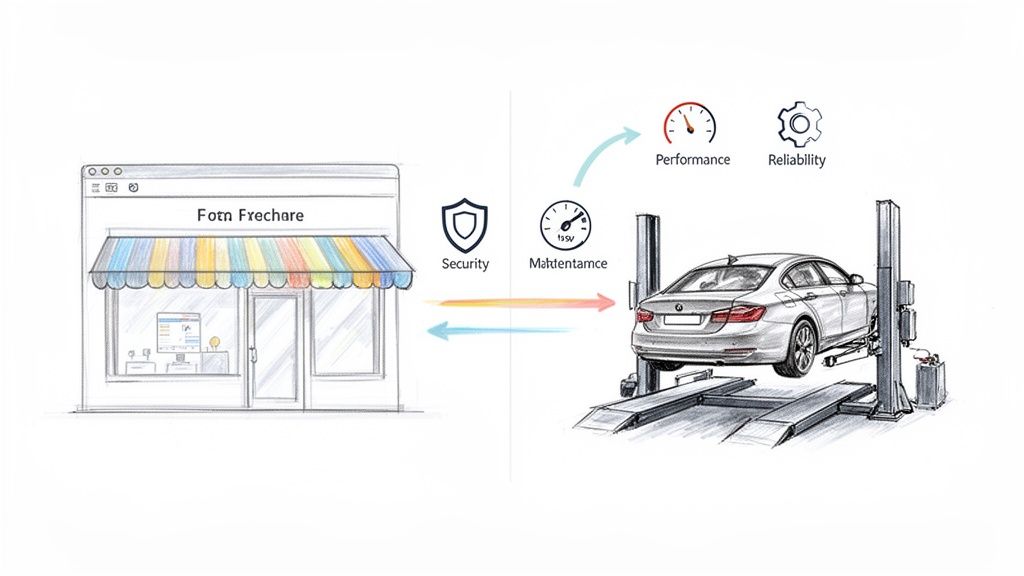
It's tempting to view your website as a one-off project. You build it, you launch it, and you're done. But that "set it and forget it" approach is a recipe for disaster. Your website is your digital storefront, whether you're based in London, Manchester, or anywhere in between. Just like a physical shop, it needs constant attention to stay inviting, secure, and open for business.
A better way to think about WordPress website maintenance is to compare it to servicing your car. You wouldn't dream of driving for years without an oil change or a brake check, because you know small bits of neglect lead to massive, expensive breakdowns. Your website is no different. Ignoring its basic needs will, sooner or later, lead to crippling performance issues, security breaches, or a total crash.
The Three Pillars of Website Care
Good maintenance isn't just about ticking boxes on a technical checklist; it’s a smart business investment that pays for itself. It all comes down to three crucial pillars that every UK business needs to get right.
- Security: This is all about proactively protecting your website from hackers, malware, and data breaches. Regular updates are your first and best line of defence, closing the security holes that criminals love to exploit. Keeping your site secure protects your customers' data and your hard-earned reputation.
- Performance: A fast, snappy website creates a fantastic user experience. It keeps people on your site longer and makes them more likely to convert. Google also gives a significant ranking boost to faster sites, so good performance directly impacts your visibility in search results.
- Reliability: You need your website to be available and working perfectly, 24/7. Regular checks prevent broken links, contact forms that don't send, and checkout errors that lose you sales and drive customers away in frustration.
Neglecting website maintenance is like leaving your shop's front door unlocked overnight. It's not a matter of if something will go wrong, but when—and the cleanup will always cost more than prevention.
Shifting Your Perspective
When you commit to consistent WordPress maintenance, you stop treating your website like a ticking time bomb and start treating it like the valuable business asset it is. It moves from being a nagging chore to a core part of your growth strategy.
By investing in proper upkeep, you're actively protecting your brand, building trust with your audience, and making sure your digital shop front is always polished, professional, and ready to turn visitors into loyal customers.
Your Essential WordPress Maintenance Checklist
Let's be honest, the thought of "website maintenance" can feel like a chore. But it doesn't have to be a massive, overwhelming task. The secret isn't finding more hours in the day; it's about having a smart, consistent routine. By breaking the work down into daily, weekly, and monthly jobs, what seems daunting becomes a series of simple, manageable steps.
Think of it like keeping a car roadworthy. You check the oil and tyres regularly, not just when you hear a funny noise. Your website needs that same consistent attention to stay in peak condition, ensuring everything from security to speed gets the care it needs, right on schedule.
Your Daily Maintenance Routine
These are the quick, non-negotiable checks that should become second nature. They are your first line of defence against a bad day and only take a few minutes, but the peace of mind they provide is priceless.
- Run a Full Website Backup: This is your safety net. If an update goes wrong or your site gets compromised, a recent backup is your "undo" button. It lets you restore a clean, working version of your site in minutes. This is where automated tools or a managed service like Vivihosting really prove their worth.
- Perform a Security Scan: A daily scan is like having a security guard patrol your premises. It actively looks for malware, dodgy code, and any new weak spots. Catching a threat early is infinitely easier than cleaning up a full-blown mess later.
These two simple steps protect you from the most common and devastating website disasters. It’s the digital equivalent of locking the shop doors and setting the alarm at the end of the day.
Your Weekly Maintenance Routine
Once a week, set aside a little more time for the core stuff: software updates and general housekeeping. This keeps your site's foundation solid and ensures a smooth, clean experience for your visitors. Putting off weekly updates is like ignoring a recall notice for your car—you're knowingly driving around with a known fault.
In fact, a staggering 39% of WordPress hacks happen because of out-of-date plugins or themes. Keeping things updated is your single most powerful weapon against these kinds of attacks.
Here’s your weekly action plan:
- Update WordPress Core: Check if a new version of WordPress is out. These updates nearly always include vital security fixes and performance tweaks.
- Update Your Plugins: Run through your list of installed plugins and apply any available updates. It's always a good idea to glance at the update notes to see what’s changed.
- Update Your Themes: Just like plugins, themes need regular updates to fix bugs and patch security holes.
- Moderate and Clear Spam Comments: Spam doesn't just look messy; it can clutter your database and even contain malicious links that harm your SEO and credibility. Get rid of it.
- Check for Broken Links: Use a simple tool to scan for broken links. Fixing them is good for your users and helps your search engine ranking.
A plugin update isn't just about getting shiny new features. More often than not, it's a critical security patch. Delaying updates is like leaving a window open for hackers to climb through.
A well-structured schedule is key to making all this manageable. Here’s a simple breakdown to help you keep everything on track.
WordPress Maintenance Task Schedule
This table breaks down the essential tasks by how often you should do them, helping you stay on top of your website's health.
| Frequency | Core Tasks | Why It Matters for Your UK Business |
|---|---|---|
| Daily |
|
This is your insurance policy. A fresh backup means you can recover instantly from any disaster, protecting your revenue and reputation. Daily scans catch threats before they can do real damage to your customer data. |
| Weekly |
|
Outdated software is the number one entry point for hackers. Weekly updates close these security gaps. A clean, functional site builds trust with your UK customers and keeps your SEO performance strong. |
| Monthly |
|
A slow website will send potential customers straight to your competitors. Monthly checks ensure your site is fast and user-friendly on every device, which is crucial for converting visitors into paying customers. |
| Quarterly |
|
This is about long-term strategy. Pruning user accounts reduces security risks. Ensuring your forms work means you never miss a lead. An SEO audit keeps you visible to your target audience in the UK market. |
By turning this schedule into a routine, you'll find that keeping your WordPress site in top shape is far less intimidating than it sounds.
Your Monthly and Quarterly Tasks
These bigger-picture checks are more strategic. They focus on performance, the user journey, and the long-term health of your site, ensuring it's not just running well today but is set up for future growth.
Monthly Review:
- Performance and Speed Tests: Run your site through a speed testing tool to see if anything is slowing it down. A sluggish site frustrates users and gets penalised by Google.
- Database Optimisation: Over time, your WordPress database gets clogged with junk like old post revisions. A monthly clean-up keeps it lean and fast.
- Visual Inspection: Take five minutes to click through your own website on a desktop, tablet, and mobile. Does everything still look and work as it should?
Quarterly Audit:
- Full Content and SEO Audit: Look at your most important pages. Is the information still up-to-date? Are you still targeting the right keywords for your UK audience?
- Test Your Forms: Don't just assume they work. Fill out and submit every single form on your website—contact, quote requests, newsletter sign-ups—to make sure leads are coming through properly.
- Review User Accounts: Get rid of any old admin or editor accounts that are no longer needed. The fewer doors into your site, the better. Check that all remaining users have strong passwords.
By following this structured checklist, you build a powerful routine that makes WordPress maintenance feel completely under control.
Protecting Your Digital Assets with Proactive Security
In today's world, website security isn't just a technical add-on; it’s a core requirement for any UK business with an online presence. If you're handling customer data, taking payments, or even just generating leads, protecting your website is non-negotiable. It’s all about building a solid defence before an attack happens, not scrambling to clean up the mess afterwards.
Think of an outdated plugin or theme like a dodgy lock on your shop's back door. It might look fine from the street, but it’s an open invitation for trouble. Hackers use automated bots that relentlessly scan the web for exactly these kinds of weaknesses, making proactive WordPress website maintenance your most effective line of defence.
This forward-thinking approach is all about prevention over cure. You're systematically closing security gaps before they can be exploited, protecting your business from data breaches, reputational damage, and serious financial loss.
Building Your Digital Fortress
A truly secure website is built in layers, a bit like a medieval castle with its high walls, a deep moat, and ever-watchful guards. Each layer makes it that much harder for an intruder to get through. For your website, this digital fortress should have a few key components.
- Strong Password Policies: Insist on long, complex passwords that mix letters, numbers, and symbols. This one simple step can thwart "brute-force" attacks, where bots hammer your login page with thousands of password combinations a second.
- Two-Factor Authentication (2FA): This adds a vital second step to your login process. Even if a hacker nicks your password, they can't get in without the unique code sent to your phone. It's a game-changer.
- A Web Application Firewall (WAF): A WAF is like a bouncer for your website. It stands at the digital front door, filtering out malicious traffic and known threats before they can even get close to your site. It intelligently blocks suspicious activity and common hacking attempts right at the perimeter.
Adopting these practices shifts your security posture from a reactive panic to a calm, controlled, and preventative strategy.
The Real Cost of Neglect
Ignoring security isn't just risky; it’s expensive. It’s a huge concern for UK WordPress users, and for good reason: outdated software is behind a staggering 39.1% of all website compromises. With WordPress powering over 43% of all websites in the UK, the potential fallout from a single security incident can be devastating.
Getting a professional to clean up a malware-infected site typically costs between £100-£250, but that’s just the start. That figure doesn't even touch the lost revenue from downtime or the long-term damage to your brand's reputation.
The flowchart below gives a clear, simple process for organising your maintenance tasks to keep these kinds of problems at bay.
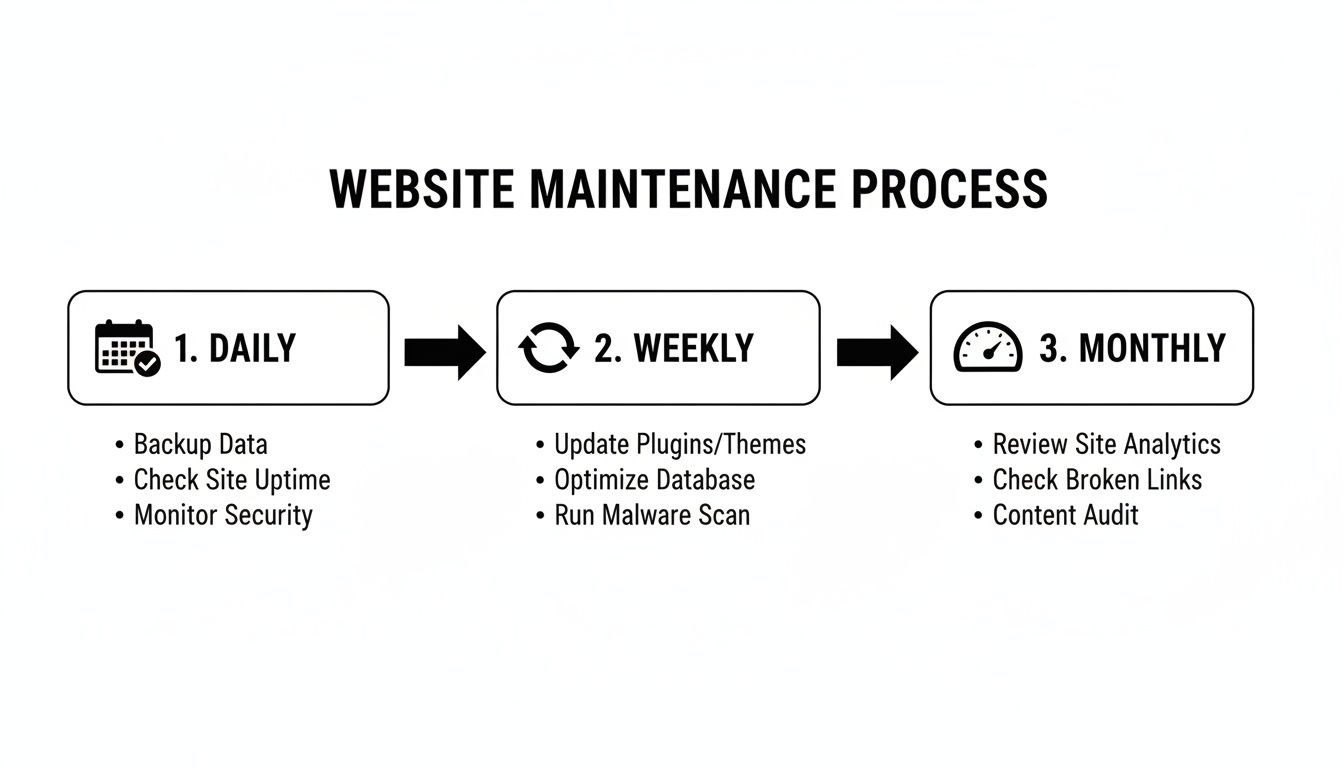
This visual guide really highlights how consistent, scheduled actions—from daily checks to monthly performance reviews—are the bedrock of a robust security strategy.
When to Call in the Experts
While these proactive steps are absolutely crucial, let's be realistic. Managing it all can be a major time-sink for a busy business owner. This is where a managed security approach really proves its worth. Instead of you having to remember to run scans, check firewalls, and monitor for new threats, a team of experts handles everything for you.
A professional maintenance service acts as your dedicated security team, working around the clock to protect your digital assets. This frees you up to focus on what you do best—growing your business—with complete peace of mind that your website is secure and defended against emerging threats.
This constant vigilance is something that's incredibly difficult to replicate on your own. For businesses that need unwavering reliability, exploring dedicated WordPress website support services provides the expert oversight needed to keep your digital shopfront completely secure. A managed service doesn't just fix problems—it stops them from ever happening in the first place.
How to Optimise Your Website for Speed and Performance
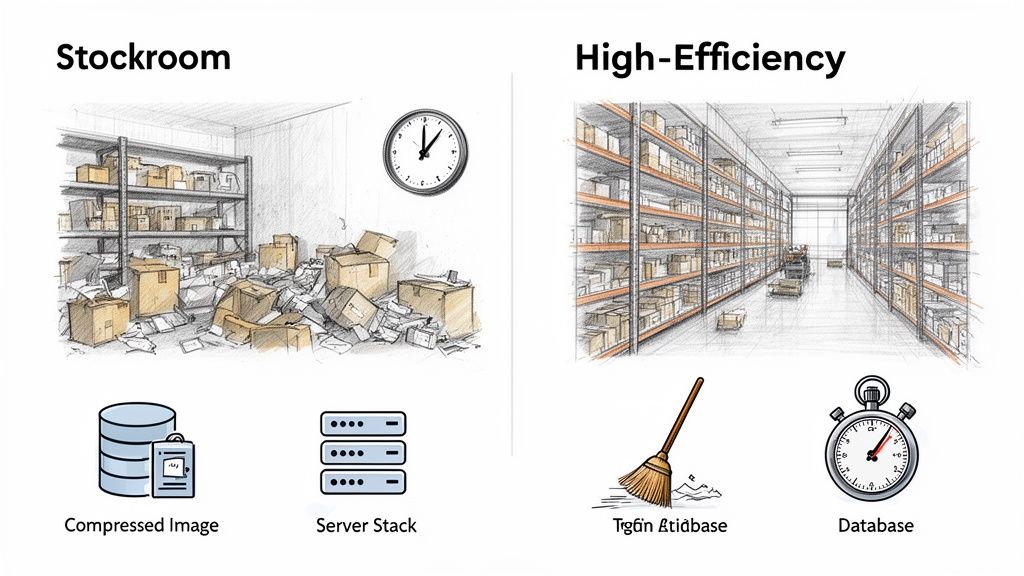
Let's be blunt: a slow website is a silent business killer. It frustrates impatient visitors, sinks your search engine rankings, and can absolutely torpedo your conversion rates. This is why turning your site into a lean, fast machine is one of the most valuable parts of any WordPress website maintenance routine.
Think of it this way. An unoptimised website is like a cluttered, disorganised stockroom. When a customer orders something, your staff have to climb over boxes and rummage through messy shelves just to find it. The whole process is slow, inefficient, and frustrating for everyone.
On the other hand, a well-optimised site is a modern, high-efficiency warehouse. Everything is neatly labelled and instantly accessible, ready for immediate dispatch. That’s the experience we want to create for our visitors.
Key Levers for Boosting Website Speed
So, how do you achieve that level of efficiency? It comes down to focusing on a few key performance levers. These aren't overly complicated technical fixes; they're more like smart housekeeping that keeps your digital warehouse running smoothly.
Three of the most impactful areas to get started with are:
- Smart Image Compression: Large, uncompressed images are often the number one culprit behind slow websites. By compressing them, you dramatically reduce their file size without any noticeable drop in quality, meaning they load in a fraction of the time.
- Effective Browser Caching: Caching is a clever way of telling a visitor's web browser to "remember" parts of your site, like your logo, fonts, and other static files. When they come back, their browser loads these saved files locally instead of downloading them all over again, making repeat visits feel lightning-fast.
- Code Minification: Your website's code (CSS, JavaScript) often contains extra spaces, comments, and line breaks that help developers but are completely useless to a browser. Minification strips out all this clutter, making the code files smaller and quicker to process.
The Foundation of Performance High-Quality Hosting
While these tweaks are crucial, they can only get you so far if your website is built on a shaky foundation. Your hosting environment is the engine that powers your entire site. A slow, overcrowded server will always be a bottleneck, no matter how much you fine-tune everything else.
This is precisely why choosing a performance-focused hosting provider is non-negotiable. A good host provides the raw server power and optimised configurations needed to deliver your content at speed. For many UK businesses, this is where the value of a quality provider truly shines. If you’re looking for a robust solution, you can explore the benefits of managed WordPress hosting in the UK to see how a dedicated, high-performance environment can transform your site's speed.
A fast website is no longer a luxury—it's an expectation. Satisfying Google’s Core Web Vitals and meeting user demands for speed are directly tied to your site's ability to rank well and convert visitors into customers.
For UK businesses, the stakes are incredibly high. In a competitive market, slow load times are poison, causing 53% of mobile visitors to abandon pages that take too long to appear. For e-commerce sites, this can slash conversions by up to 7% for every single second of delay. Suddenly, speed isn't just a feature; it's a critical revenue driver.
Regular performance tuning prevents this digital "clutter" from building up, ensuring your site remains a fast, reliable, and effective tool for growing your business.
Looking After Your WooCommerce Shop
When your website is your shopfront, the whole game changes. Running a WooCommerce store adds a whole new level of complexity to maintenance, because suddenly your uptime, speed, and security are directly linked to your bank balance. This isn't just standard WordPress website maintenance; it's the specialist care needed to keep the digital tills ringing.
Leaving a WooCommerce site to its own devices is like leaving your physical shop unlocked overnight. Every moving part, from your payment gateway to your shipping calculator, is handling sensitive customer data. That’s why keeping the core WooCommerce plugin and all its extensions updated is absolutely non-negotiable. These updates aren’t just about shiny new features; they contain vital security patches that protect your customers' payment details and, ultimately, your reputation.
Performance is Everything in E-Commerce
For an online shop, speed isn't a "nice-to-have"—it's a core feature. A slow-loading product page or a clunky checkout process is the digital equivalent of a long queue, and it will send shoppers straight to your competition. If you get a lot of traffic, this becomes even more critical, especially during busy sales periods like Black Friday.
Here are a few key areas to focus on for a speedy WooCommerce site:
- Optimise Your Product Images: We all want beautiful, high-resolution product photos, but they can be serious dead weight on your site's loading speed. The trick is to compress them smartly so you get fast load times without turning your products into a blurry mess.
- Keep the Checkout Smooth: The path from "add to basket" to "payment complete" has to be as smooth as silk. You need to test this process regularly to make sure nothing is broken. A tiny technical glitch here can mean a pile of abandoned baskets and lost sales.
- Look After Your Database: An e-commerce database fills up fast with customer info and order history. Keeping it optimised and tidy prevents it from slowing everything down over time.
Security: The Foundation of Trust
In e-commerce, security is the bedrock of customer trust. A single data breach can cause lasting damage to your brand. For any UK business that takes card payments, getting to grips with the Payment Card Industry Data Security Standard (PCI DSS) is essential. It's a set of rules designed to make sure any company handling credit card details does so in a secure environment.
Maintaining a secure WooCommerce store is about more than just technology; it's a promise to your customers that their data is safe with you. Regular security audits and proactive monitoring are vital for building and maintaining that trust.
At the end of the day, specialist WooCommerce maintenance turns your website into a reliable, secure, and high-performing retail machine. It’s a constant process of protecting transactions, refining the customer journey, and making sure your business is always open for business. That kind of diligence doesn't just protect your revenue; it builds your reputation as a safe and trustworthy place to shop online.
Breaking Down WordPress Maintenance Costs in the UK
One of the first questions UK business owners ask when we talk about website care is, "What's this actually going to cost me?" It's a fair question, and the answer isn't a single number. You essentially have two paths: rolling up your sleeves and doing it all yourself (the DIY route) or bringing in a professional managed service.
Deciding which way to go is about more than just looking at a monthly price tag. It's about weighing up the real value, the hidden risks, and what your own time is worth. A professional plan isn't just another bill to pay; it's an investment in your site's health, your security, and your sanity.
The True Cost of Going It Alone
On the surface, DIY maintenance looks like the cheapest option. After all, you're not paying anyone else, are you? But this overlooks one critical fact: your time is your most valuable resource. Every hour you spend fiddling with plugin updates, troubleshooting a mysterious error, or figuring out a backup schedule is an hour you can't spend talking to customers, marketing your services, or actually running your business.
And it’s not just about your time. The actual out-of-pocket expenses for a DIY approach can catch you by surprise.
- Premium Plugins: While you can get started with free tools, serious security, reliable backups, and proper performance optimisation almost always need premium plugins. You could easily be looking at £150-£300 a year, or even more, just for the essential software.
- The Price of a Mistake: One wrong click during an update can bring your entire website crashing down. This leads to frantic, stressful hours trying to fix it, or an expensive emergency call-out to a developer to get you back online.
- The Financial Fallout: The biggest hidden cost is what happens when things go badly wrong. Downtime directly translates to lost revenue. A security breach could mean not just lost business, but potential fines and a shattered brand reputation that's hard to rebuild.
Thinking of professional WordPress maintenance as just another expense is missing the point. It's better to see it as an investment. It gives you predictable costs, buys back your time, and acts as an insurance policy against digital disasters.
What You Get with a Managed Service
Handing your maintenance over to a professional team turns all those unpredictable risks and surprise costs into one fixed, manageable monthly payment. In the UK, the cost for these services has been creeping up, and for good reason. The need for smarter security and better performance is greater than ever. In fact, research shows that the average price for a basic monthly plan went from £69.83 in 2018 to an expected £102.00 by 2025. That's a 46% increase, largely driven by inflation and the constant rise in cyber threats.
So, what should you expect for your money? Any decent plan will have the essentials locked down:
- Hassle-Free Updates: They handle all core, theme, and plugin updates, usually testing them first to make sure they don't break anything.
- Rock-Solid Security: This should include active malware scanning, a protective firewall, and constant monitoring for threats.
- Dependable Backups: Regular, automatic backups of your entire site, stored somewhere safe and separate from your server.
- Performance Checks: Keeping an eye on your site's speed to ensure it stays quick and responsive for your visitors.
- Expert Support: You get a direct line to a team of people who know exactly what they're doing and can fix problems fast.
This kind of all-in-one service lets you completely step back from the technical side of things and put all your energy into your business. When you look into professionally managed WordPress website maintenance packages, you're not just buying tech support; you're buying peace of mind and the freedom to focus on what you do best. It's the difference between being a part-time IT manager and a full-time business owner.
Answering Your WordPress Maintenance Questions
Even with a checklist in hand, it's normal to have a few nagging questions. It’s a lot to take in, especially when you're busy running your business here in the UK. So, let's tackle some of the most common queries we get asked.
Think of this as a quick chat over a cuppa, designed to clear up any lingering doubts and help you make smart choices for your website's future.
How Often Should I Update My WordPress Plugins?
The simple answer? As soon as you see the update notification. At the very least, you should be checking and updating everything weekly.
Most updates aren’t about shiny new features; they’re vital security patches designed to close loopholes that hackers have just found. Delaying these updates is like leaving your back door unlocked—cybercriminals actively scan for sites with outdated software because they're easy targets.
A proper maintenance service takes this worry off your plate. They don’t just hit ‘update’. They test updates on a staging site first, which is a private copy of your website. This is a critical step that catches any conflicts between plugins or your theme before they can break your live site. It’s a common and costly mistake for DIYers.
Can I Do My Own WordPress Maintenance to Save Money?
You absolutely can, but it’s often a false economy. The biggest hidden cost is your own time. Every hour you spend fiddling with updates, running backups, or figuring out an error message is an hour you’re not spending on marketing, sales, or serving your customers.
Then there are the direct costs. You'll need to pay for premium plugins to get proper security and reliable backups, and those subscriptions add up.
The real danger of DIY maintenance is the potential cost of a single mistake. One wrong click could crash your site for hours or, worse, lead to a data breach. The financial fallout from that could easily dwarf years' worth of a professional maintenance plan.
What Is the Difference Between Hosting and Maintenance?
This one trips a lot of people up, but the distinction is quite straightforward. Here’s an analogy I like to use:
- Web Hosting: This is the plot of land you rent for your website to live on. It’s the physical server space and core technology that keeps your site connected to the internet.
- Website Maintenance: This is the ongoing upkeep of the house you've built on that land. It’s about making sure the doors are locked (security), the plumbing works (optimisation), and everything is up to code (updates).
Some providers, like us at Vivihosting, bundle these together in what’s called managed WordPress hosting. It’s a convenient, all-in-one package that covers both the land and the house, so you don't have to worry about either.
How Do I Know If My Website Has Been Hacked?
Sometimes it's glaringly obvious, other times it's frighteningly subtle. The big red flags are things like your website redirecting to spammy pages, new admin users appearing that you didn't create, or getting a suspension notice from your host. Another dead giveaway is Google blacklisting your site and showing a big, ugly security warning to anyone who tries to visit.
But you don’t want to wait for these signs. The best defence is proactive monitoring. A good maintenance plan includes 24/7 scanning that looks for suspicious activity, catching threats before they can damage your business or your reputation.
Stop worrying about technical tasks and focus on what you do best. Let Vivihosting provide the expert care your WordPress website deserves with our all-in-one managed hosting and maintenance plans. Explore our services and secure your website today.