


We’ve all been there. That sinking feeling in your stomach when a critical error message pops up on your website. For many UK business owners, that feeling is all too familiar. When you need help with your website, it's usually because it's become a source of constant frustration rather than the powerful business asset it's supposed to be.
This guide is designed to help you cut through the noise, figure out what's wrong, and find the right support to get things back on track.
Is Your Website More Trouble Than It Is Worth?
Let's be honest. Instead of bringing in new leads and sales, is your WordPress site just eating up your time and causing you headaches? From painfully slow loading speeds that send potential customers running, to mysterious bugs that break your contact forms just when you need them most – these aren't minor glitches. They're genuine roadblocks to your business's growth.
If you find yourself spending more time wrestling with plugins than actually speaking to your customers, it’s a massive red flag. You need a better system. The good news? You're not alone in this, and there are straightforward solutions out there.
Recognising the Warning Signs
It's easy to get used to website problems. Many business owners just accept slow speeds or the occasional crash as a normal part of having a site. But these are often symptoms of much deeper issues that can quietly damage your reputation and, ultimately, your bottom line. Spotting them early is the first real step towards fixing things for good.
Here are a few common pain points that scream "it's time for a change":
- Slow Performance: Your pages are taking forever to load, and you know visitors are giving up and leaving.
- Frequent Errors: You're constantly seeing things like database connection errors or the dreaded "white screen of death."
- Security Worries: Your site has been flagged for malware, or you're just lying awake at night worrying about potential vulnerabilities.
- Broken Functionality: Key features, like your shopping basket or contact forms, just can't be relied on to work properly.
Getting help with your website isn't an admission of failure; it’s a strategic business decision. It allows you to reclaim your time and ensure your digital presence is actively working for you, not against you.
Why UK Businesses Are Seeking Better Support
The demand for genuinely reliable website support has never been higher. The UK's data processing and hosting services industry has exploded, now clocking in at an estimated £10.7 billion market size.
What does that mean for you? It means that as a WordPress site owner, you have more choice than ever when it comes to finding high-quality, specialised support. You can explore the UK's hosting industry growth and see for yourself how this trend puts the power back in your hands.
How to Diagnose What's Wrong With Your Website
Before you can even think about getting help, you need a rough idea of what’s actually broken. Phoning up a developer and saying your website is "acting weird" is a bit like telling a mechanic your car is making a "funny noise"—it's a starting point, but not a very helpful one.
Let's walk through a quick, jargon-free health check. This isn't about you becoming a tech wizard; it's about gathering clues. Grab a notepad or open a document and let's figure out what symptoms your site is showing, so you can explain the problem clearly.
Website Health Check Quick Diagnosis
Sometimes, you just know something is off but can't put your finger on it. This table is a quick reference to help you match what you're seeing to the likely cause.
| Symptom You Are Seeing | Potential Problem Area | Immediate First Step |
|---|---|---|
| Site feels sluggish or takes ages to load | Performance & Speed | Test your site with a tool like GTmetrix to get a baseline score. |
| Browser shows a "Not Secure" warning | Security & SSL | Check if your SSL certificate has expired or is misconfigured. |
| Contact forms aren't sending emails | Functionality & Plugins | Send a test submission and check your WordPress email logs. |
| Traffic has dropped off a cliff | SEO & Visibility | Log into Google Search Console to check for penalties or crawl errors. |
| Pages show a "404 Not Found" error | Broken Links & Content | Click through your main menu and key buttons to find broken pathways. |
Once you've got a general idea, you can dig a little deeper to gather more specific details.
Is Your Website Too Slow?
A slow website is a silent killer of conversions. We all know the feeling of giving up on a page that just won't load. In fact, studies show that 47% of people expect a website to load in two seconds or less. If yours is lagging, it’s costing you customers.
Ask yourself:
- Does your homepage or shop take more than a beat or two to appear?
- Is it clunky and slow when you click from one page to another?
- Do you see text load first, with images popping in much later?
- Honestly, have you ever gotten frustrated and abandoned your own site while waiting for it to load?
If you nodded along to any of those, you’ve got a performance problem. This is probably the most common cry for help we hear, because it hits your user experience and your bottom line directly.
Are There Security Red Flags?
Website security isn't just for techies; it's about protecting your customers' data and your business's reputation. One little slip-up can lead to Google blacklisting your site, a total loss of customer trust, and a world of headaches.
Keep an eye out for these tell-tale signs:
- A glaring "Not Secure" warning in the browser address bar.
- Strange login attempts or emails about suspicious activity.
- Unfamiliar files on your server or new admin users you didn't create.
- Your website suddenly redirecting visitors to spammy, irrelevant pages.
A single security breach can unravel years of hard work in a single afternoon. Being proactive isn't just a good idea—it’s a core responsibility of owning a website. If you spot any of these signs, you need to act fast.
Do Things Just Not Work Anymore?
When features on your site are broken, it makes your business look amateurish. A non-working contact form or a broken checkout is like having the door to your shop jammed shut. These issues often fly under the radar until a customer complains, and by then, who knows how many leads or sales you've lost.
Do a quick audit of your site's most critical functions:
- Contact Forms: Can you actually submit an enquiry? Fill one out yourself and see if the email lands in your inbox.
- Shopping Cart: If you sell online, go through the whole process. Add something to your cart, go to the checkout, and try to make a test payment.
- Buttons & Links: Click on your main navigation links and every "Buy Now" or "Learn More" button. Do any of them lead to a dead end, like a 404 "Page Not Found" error?
Has Your Site Vanished from Google?
Has your web traffic suddenly fallen off a cliff? This is a massive red flag and could point to a serious SEO problem that needs sorting out, pronto. Our guide on WordPress website maintenance goes into more detail on how to keep your site healthy and visible to search engines.
Consider these questions:
- Does your website show up when you Google your own business name?
- Have you disappeared from the search results for keywords you used to rank for?
- Are you seeing crawl errors or indexing warnings in your Google Search Console account?
With this information in hand, you’re no longer just guessing. You have a clear, evidence-based list of problems, which means you're ready to have a much more productive conversation with anyone you hire to help.
DIY Fix or Professional Support? Deciding Your Next Move
Alright, you’ve got a handle on what’s gone wrong with your site. Now comes the big decision, and it’s one that can save you a world of time, money, and headaches. Do you roll up your sleeves and have a go yourself, or is it time to bring in the pros? This isn't just about fixing a bug; it's a strategic call for your business.
Let's be clear: for minor tweaks, the DIY route is often perfectly fine. If you need to update a blog post, swap out an image on your homepage, or correct a typo, you can absolutely tackle that yourself. There are countless brilliant tutorials on YouTube and in the official WordPress forums that will walk you through these simple tasks safely.
But when you’re staring down the barrel of a high-stakes problem, the game changes entirely.
When to Call in the Experts
Some situations just scream for professional help. Trying to fix these on your own without deep technical knowledge can turn a small problem into a catastrophe. You should be reaching for the phone if you’re dealing with any of these:
- A suspected malware infection: This is a big one. Trying to clean up malicious code on your own often leads to data loss and, worse, leaves backdoors for the hackers to get right back in.
- Critical WooCommerce errors: A broken payment gateway or a checkout page that won't load isn't a technical glitch—it's a hole in your pocket, losing you sales with every passing minute.
- Complex performance issues: If you've tried the basic speed fixes and your site is still crawling, an expert can dig into the deep stuff like database queries, server configurations, and code optimisation.
Think of it this way: you wouldn't try to rewire your office after watching a 10-minute video. Some website problems are the digital equivalent, carrying serious risks if you get them wrong.
This flowchart gives a great visual of the decision-making process for one of the most common issues out there: a slow website.
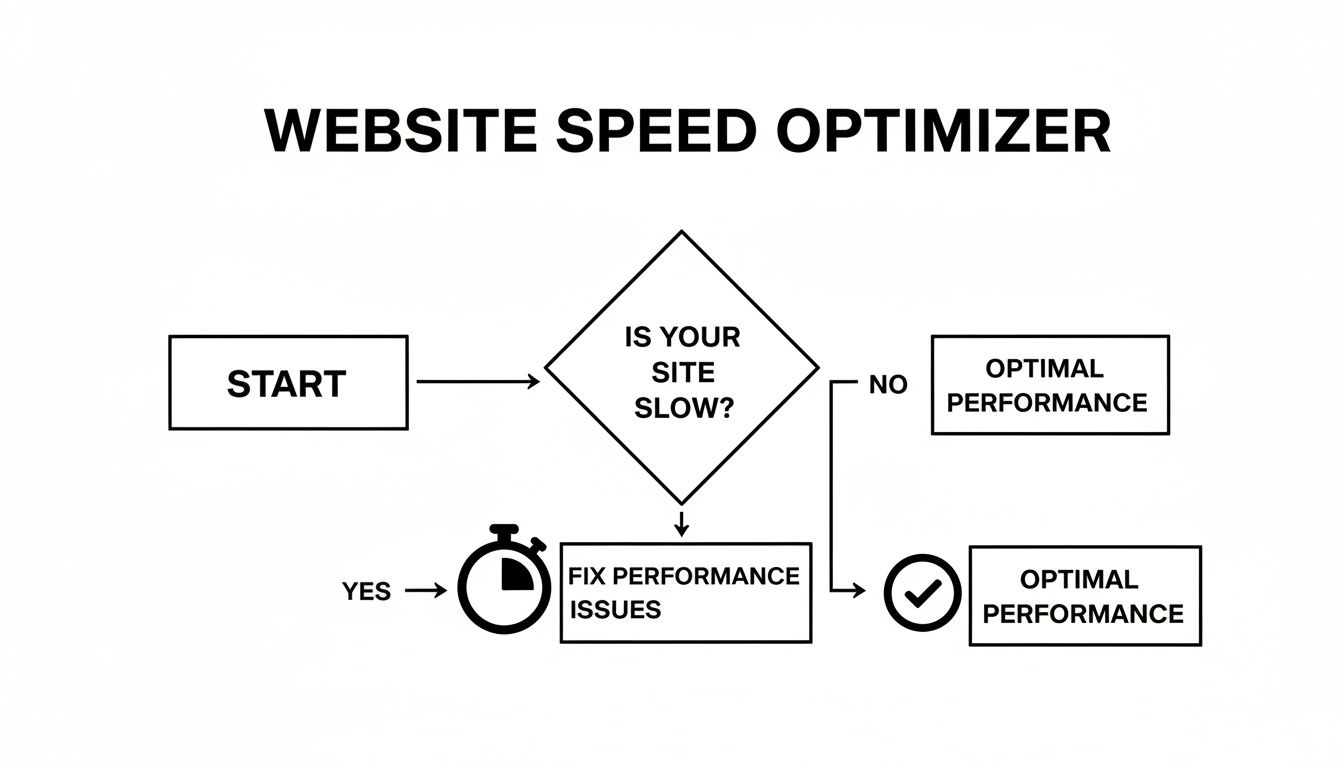
As you can see, a slow site isn't something you put on the back burner. It's a problem that needs a fix, and fast.
Weighing the True Cost
Let me give you a real-world example I've seen play out. An online gift shop here in the UK suddenly saw their sales drop by 50% over a weekend. They eventually figured out their payment gateway was failing, but only for certain credit cards.
The owner spent the next two days frantically trying to sort it out, deactivating plugins and tinkering with settings. In that time, they lost hundreds of pounds in sales and damaged customer trust.
Finally, they called an expert who pinpointed and fixed the conflict in less than an hour. The cost of that professional help was a tiny fraction of the revenue they’d already lost. This is exactly why investing in ongoing expert care makes so much sense. Instead of firefighting, you could explore WordPress website support services that proactively maintain your site to stop these things from happening in the first place.
The right support isn't an expense. It's an investment in your business's stability and growth.
Comparing Your Website Support Options in the UK

Right, so you’ve decided you need a professional hand with your website. That’s a great first step, but now you’re facing another big choice. Diving into the UK market for web support can feel like a maze, with freelancers, agencies, and hosting companies all vying for your attention.
To make a smart decision, you need to get to grips with the main ways you can get help. Your choice really comes down to three paths: hiring a freelancer, working with a digital agency, or signing up with a managed support provider. Each has its own strengths, and the best fit depends entirely on your specific problems, your budget, and where you see your business going.
Freelancers, Agencies, and Managed Support
Hiring a freelance developer is often the perfect solution for specific, one-off jobs. Got a plugin that’s misbehaving or need a small design change? A freelancer’s hourly rate is usually the most cost-effective way to get it sorted. You get flexibility and a direct line of communication, which is brilliant for businesses needing occasional, targeted fixes.
Digital agencies, on the other hand, bring a full team to the table. They’re your go-to for bigger, more complex projects—think a complete website redesign or a full-scale digital marketing campaign that needs designers, developers, and SEO experts all working together. Their costs reflect this wider scope, typically priced per project or on a monthly retainer.
Then you have the managed support model, which is all about proactive, preventative care. This approach bundles high-performance hosting with all the crucial maintenance, security, and expert support you need to stop problems from happening in the first place. It’s a predictable, ongoing partnership built for long-term stability and peace of mind.
The best choice isn't about which option is "better," but which one aligns with your business reality. A startup might thrive with a flexible freelancer, while a growing e-commerce store needs the robust, preventative care of a managed service.
Comparing Website Support Solutions for UK Businesses
Choosing the right kind of website help often comes down to weighing the pros and cons in the context of your business needs. To make it clearer, here’s a straightforward breakdown of the key differences between your main options.
| Support Option | Best For | Typical Cost Structure | Key Advantage |
|---|---|---|---|
| UK Freelancer | Small, defined tasks or quick fixes. | Hourly Rate (£30-£100+) | Flexibility and direct communication. |
| Digital Agency | Large projects like redesigns or SEO campaigns. | Project Fee or Monthly Retainer | Access to a diverse team of specialists. |
| Managed Support | Proactive, long-term site health and security. | Fixed Monthly Plan | Predictable costs and preventative care. |
It's clear the managed approach is gaining serious momentum, and for good reason. The global web hosting market is projected to reach an incredible USD 661 billion by 2034, with much of that growth fuelled by businesses adopting managed services. As you can read in these insights on the growth of web hosting services, this isn't just a fleeting trend. For UK businesses, investing in this model means getting ahead of the curve.
This trend signals a massive shift in mindset—from reactively fixing problems to proactively preventing them. Instead of scrambling (and paying a premium) for an emergency fix when your site goes down, a managed plan is designed to keep it running smoothly from the get-go. These packages often include expert site migrations, performance tuning, and all your updates rolled into one predictable fee. You can see how managed website services bundle these features together to take the stress out of running a website.
Your Action Plan for a Healthier Website
Okay, you’ve pinpointed what's wrong with your site. That’s a massive first step. But the real win comes from turning that diagnosis into a concrete action plan. This is your roadmap to getting your website's health back on track for the long haul. When you need help with your website, focusing on these core areas will give you the biggest bang for your buck.

I've structured this plan around the four essential pillars of good website care. Think of it like building a house – each one creates a solid foundation, ensuring your site actually supports your business instead of just causing headaches.
Bolstering Your Security
Website security isn't something you can "set and forget." It's a constant process. A single breach can shatter customer trust overnight and even get your site blacklisted by Google. Honestly, being proactive isn't just a good idea; it’s non-negotiable.
Here are your immediate priorities:
- Strong Password Habits: Insist on complex, unique passwords for every single user account, especially for administrators. Pair this with two-factor authentication (2FA) for a seriously effective security boost.
- Install a Reputable Security Plugin: Tools like Wordfence or Sucuri are your first line of defence. They actively hunt for malware, keep an eye on login attempts, and act as a firewall to block dodgy traffic before it even gets close to your site.
- Limit Login Attempts: This is a simple but brilliant tactic. A plugin that temporarily locks out a user after a few failed login attempts is fantastic for stopping automated "brute-force" attacks in their tracks.
Boosting Site Performance
Let's be blunt: a slow website kills business. It actively pushes potential customers away. Making your site faster is probably one of the most impactful changes you can make, as it directly improves both user experience and your search engine rankings.
Start with these simple but powerful optimisations:
- Image Optimisation: Huge, uncompressed images are the number one cause of slow-loading pages. I see it all the time. Use a plugin like Smush or ShortPixel to automatically compress and resize your images as you upload them, without making them look grainy.
- Leverage Caching: Caching is like making a quick photocopy of your webpages. Instead of your server having to build the page from scratch for every visitor, it can just hand over the copy. A good caching plugin (like W3 Total Cache or WP Rocket) can make a night-and-day difference to your site's speed.
A one-second delay in page load time can lead to a 7% reduction in conversions. For an online shop making £1,000 a day, that single second could be costing them over £25,000 a year in lost sales.
Nailing these performance tweaks ensures your visitors have a smooth, fast experience, which means they’re more likely to stick around and, ultimately, convert.
Ensuring Rock-Solid Reliability
Ask yourself this: what would you do if your website simply vanished tomorrow? It sounds dramatic, but without a reliable backup strategy, a server crash, a dodgy update, or a security breach could make that a reality.
Automated backups are your ultimate safety net. Trying to remember to do it manually is a recipe for disaster.
- Set Up Automated Backups: Use a trusted backup plugin like UpdraftPlus or check what your hosting provider offers. The key is to make sure backups run regularly (daily is best for active sites) and are stored somewhere else, like Google Drive or Dropbox—not on the same server!
- Test Your Restores: A backup is completely useless if you can't actually restore it. Every so often, test the process on a staging site. You need to be confident that you can get your files and database back online quickly and completely when disaster strikes.
Honestly, this one simple process buys you an incredible amount of peace of mind.
Staying Up-to-Date Safely
Outdated software is the most common way hackers get into websites. Full stop. WordPress, along with its plugins and themes, is constantly updated to patch security holes and fix bugs. This makes keeping everything updated absolutely critical.
The catch? Updates can sometimes break things. The trick is to update safely.
- Always Back Up First: Before you touch a single update button, run a complete backup of your website. No excuses.
- Use a Staging Environment: A staging site is a private copy of your live website. It's the perfect place to test all your updates first, letting you spot any conflicts or broken bits without your customers ever seeing a thing.
- Update in Batches: Don't just click "update all." Update your plugins one by one, checking your site's main functions after each one. It takes a few extra minutes, but it makes it so much easier to figure out what went wrong if a problem does pop up.
Your Website Help Questions, Answered
If you're thinking about getting some help with your website, it's completely normal to have a few questions swirling around. What's it going to cost? What's the process actually like? Getting straight answers is the only way to feel confident you're making the right move for your UK business.
Let's tackle some of the most common queries we hear.
How Much Should I Expect to Pay for Website Help in the UK?
Honestly, the cost can be all over the map, and it really hinges on what you need doing.
If you’ve got a small, specific problem, a freelance WordPress developer in the UK might charge you anywhere from £30 to £100+ an hour. This is a great route for those one-off tasks where you know exactly what needs fixing.
Full-service digital agencies usually work on a project basis or a monthly retainer. Their fees can start in the low hundreds and climb from there, but you’re paying for access to a whole team—designers, developers, marketers—which makes sense for big jobs like a complete site overhaul.
Then you have managed hosting plans. These offer a predictable monthly fee that bundles your hosting with all the essential support: security, backups, updates, and access to experts. In the long run, this often works out as a much smarter investment than paying for panic-stricken emergency fixes every time something goes wrong.
What Is the Difference Between Web Hosting and Website Maintenance?
This is a big one, and a source of a lot of confusion. It’s a really important distinction to get your head around.
Think of it this way:
- Web Hosting: This is like the plot of land you rent for your website. It’s the physical server space that makes your site visible to the world online.
- Website Maintenance: This is everything you do to keep the house on that land in good shape. We're talking about updating software, running security checks, keeping the database tidy, and squashing bugs.
Your average hosting plan just gives you the land and leaves all the upkeep to you. A managed hosting solution, on the other hand, takes care of both, giving you a hands-off way to make sure your site is always running smoothly and securely.
A mistake I see all the time is people assuming that a good hosting plan means their website is automatically healthy. It's not true. Without consistent maintenance, even the fastest server in the world can't stop an outdated plugin from opening the door to hackers.
Can I Switch Providers If My Current Website Is Broken?
Yes, absolutely. In fact, if your site is giving you constant grief, moving to a specialist provider is often the best and quickest way to fix it for good.
If your site is plagued by slow loading times, weird bugs, or security scares, a fresh start on a better platform can be a game-changer.
Any decent managed WordPress host will have an expert migration service baked into their plans. Their team will handle the entire move, so you don't have to touch a single technical setting. The real bonus? They can often spot and fix the deep-rooted performance or security problems during the transfer, so your site gets a clean bill of health from day one on its new home.
Ready to stop worrying about your website and start focusing on your business? Vivihosting provides performance-focused managed WordPress hosting with all the security, maintenance, and expert support you need. Discover our complete website care plans today.