

Right, let's get one thing straight: your bounce rate isn't just a number you track. It's a direct symptom of a deeper problem. It’s your website telling you, loud and clear, that a page is failing to meet a visitor's expectations. This could be down to anything – slow loading times, a confusing design, or content that just misses the mark. The trick is to diagnose the specific cause and then work through the technical and user experience issues that are making people leave.
Why Your Bounce Rate Is More Than Just a Number
A high bounce rate can feel like you're shouting into the void, can't it? You put all this effort into getting people to your site, only for them to disappear in a flash. It’s not just a vanity metric on your Google Analytics report; it's a direct signal of lost sales, missed connections, and wasted marketing spend. Every single visitor who arrives and leaves without doing anything is a genuine missed opportunity. So, when we talk about reducing bounce rate, what we're really asking is, "How can I make my website genuinely more helpful and engaging for my visitors?"
For UK businesses, this is a massive deal. Poor website performance is a huge drain on small and medium-sized businesses, costing them a staggering £1.5 million annually in lost revenue. A huge chunk of that comes from high bounce rates, which can average around 65% on sites that aren't up to scratch, dragging conversion rates down to a painful 1.2%. You can discover more insights about the real cost of poor website performance on Web Cardiff.
Reframing the Bounce Rate Challenge
Instead of viewing a high bounce rate as some kind of failure, think of it as a diagnostic tool. It’s a helpful signpost pointing you directly to specific, fixable problems on your website. This guide is all about looking at bounce rate as a solvable problem, giving you a clear path to turn those bounces into engaged visitors who stick around.
Let's put this into real-world terms by looking at some common scenarios I see all the time:
- The WooCommerce Store: You're losing potential customers on your product pages because the images take an age to load or the layout is just plain confusing.
- The Service Business: You’re failing to capture leads because your contact form is buried somewhere, or your key message isn't immediately obvious when the page loads.
- The Blogger: You're finding it tough to build an audience because your articles are a nightmare to read on a mobile phone, or you haven't given people any good internal links to keep them reading.
By thinking about the challenge in terms of its direct business impact, you can start prioritising fixes that don't just lower a number but actually add to your bottom line. It’s all about connecting the dots between user experience and revenue.
This whole process is about making your website work harder for you. We’re going to walk through a clear optimisation plan, with a special focus on UK-based WordPress and WooCommerce sites, covering everything from technical health checks to creating a user experience that grabs attention and actually converts.
Building Your Bounce Rate Diagnostic Toolkit
Before you can even think about fixing a high bounce rate, you need to understand why people are leaving in the first place. Throwing solutions at a problem you don't understand is a surefire way to waste time and money. What you need is a clear, data-backed picture of what's really going on.
For most businesses in the UK, the starting point is Google Analytics 4 (GA4). It’s free, incredibly powerful, and gives you all the raw data you need to find the pages that are bleeding visitors. The trick is to stop looking at the site-wide average; that single number hides the real story. Think of yourself as a detective, digging into the details to find the specific leaks.
A high bounce rate isn't just a vanity metric. It has a real-world business impact, leading directly to lost sales and wasted marketing spend.
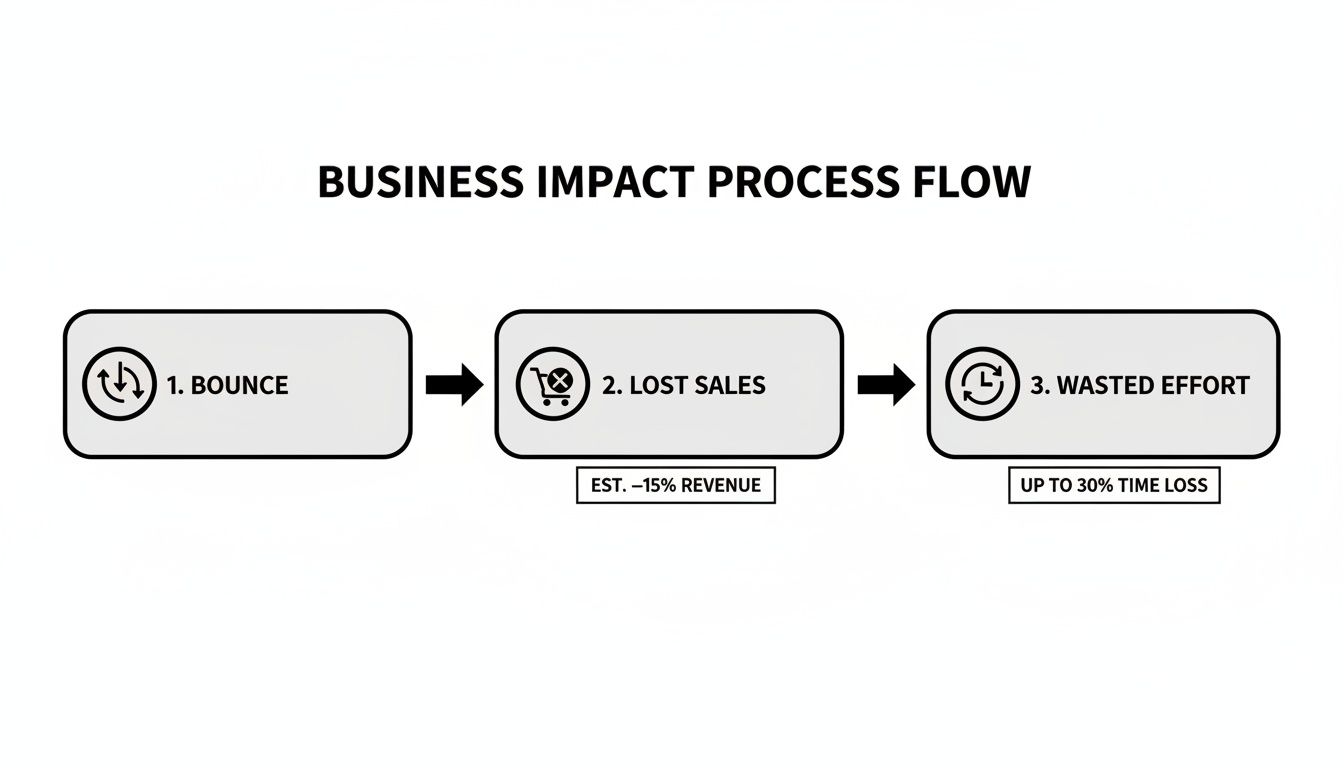
As you can see, every visitor who leaves immediately represents a tangible loss—a missed opportunity for revenue and a poor return on your investment.
Getting GA4 Ready for Analysis
Out of the box, GA4 focuses on "engagement rate," not bounce rate. It’s a simple flip-side metric: if your engagement rate is 70%, your bounce rate is 30%. To make life easier, you’ll want to customise your reports to add the bounce rate metric so you can see it at a glance.
Once that’s sorted, the 'Pages and screens' report should be your first port of call. This is where you'll spot your problem pages. For instance, a blog post with a 75% bounce rate isn't necessarily a disaster—the visitor might have found the answer they needed and left satisfied. But a product page with a 60% bounce rate? That’s a serious red flag and points to lost sales.
A quick word of advice: Context is everything. A high bounce rate isn't always a bad thing. If someone lands on your contact page, grabs your phone number, and leaves to call you, that's a win—even though it technically counts as a bounce.
To get a feel for where your site stands, it helps to compare your numbers against industry benchmarks.
Typical Bounce Rate Benchmarks by Website Type
This table gives you a rough idea of what to aim for. Use it to gauge whether your bounce rates are in a healthy range for your type of website.
| Website Type | Excellent Bounce Rate | Average Bounce Rate | High Bounce Rate |
|---|---|---|---|
| E-commerce & Retail | 20% – 35% | 35% – 50% | 50%+ |
| Lead Generation | 25% – 40% | 40% – 55% | 55%+ |
| Blogs & Content Sites | 40% – 60% | 60% – 80% | 80%+ |
| Landing Pages | 30% – 50% | 50% – 70% | 70%+ |
| SaaS Websites | 25% – 40% | 40% – 60% | 60%+ |
Remember, these are just guidelines. Your specific goals and audience will ultimately define what a "good" bounce rate looks like for you.
Segment Your Data to Find the Real Issues
The real breakthroughs come when you start slicing up your data. Looking at your bounce rate as one big number is fundamentally misleading. You have to segment your audience to uncover the hidden patterns.
Here’s where I’d start looking for clues:
- Device Type: Is your bounce rate through the roof on mobile compared to desktop? This is a classic sign of a clunky mobile experience. With so much UK traffic now on phones, this is often the lowest-hanging fruit.
- Traffic Source: Are visitors from your social media campaigns bouncing more than those from organic search? That could signal a disconnect between your ad creative and your landing page. People arriving from a Google search usually have much stronger intent.
- User Type: Do new visitors leave far more often than returning ones? A certain gap is normal, but a massive one suggests your site isn't making a great first impression or is confusing for newcomers.
- Landing Page: Which specific pages are the worst offenders? Don't get fixated on the homepage. More often than not, it's a particular blog post, service page, or product category that’s letting the side down.
If you’re running a WordPress site, getting this data is a breeze. Plugins like Site Kit by Google or MonsterInsights can pull key GA4 stats directly into your WordPress dashboard. This makes it much easier to keep tabs on performance as part of your routine WordPress website maintenance.
Finally, if you see high bounce rates across the board, especially when paired with slow loading times, it might be time to look at your hosting. If your UK-based server is sluggish, no amount of on-page tweaking will fix the root cause. Your diagnostic toolkit must always start with data—it’s the map that will guide every fix you make from here on out.
Strengthening Your Technical Foundations
Before we get into fancy design tweaks or content overhauls, we need to look under the bonnet. Let’s talk about the engine that powers your website. A slow, clunky, or broken site is the quickest way I know to send a potential customer packing. Getting these technical foundations right isn't just for developers; it's often the single most impactful thing you can do for some immediate wins against a high bounce rate.
Think of it like this: you could have the most beautifully designed shop with incredible products, but if the front door is stuck, it's all for nothing. People will just give up. Your website's technical performance is that front door.
Prioritise Blazing-Fast Site Speed
Patience is a virtue, but it’s one your website visitors simply don't have. Speed is everything.
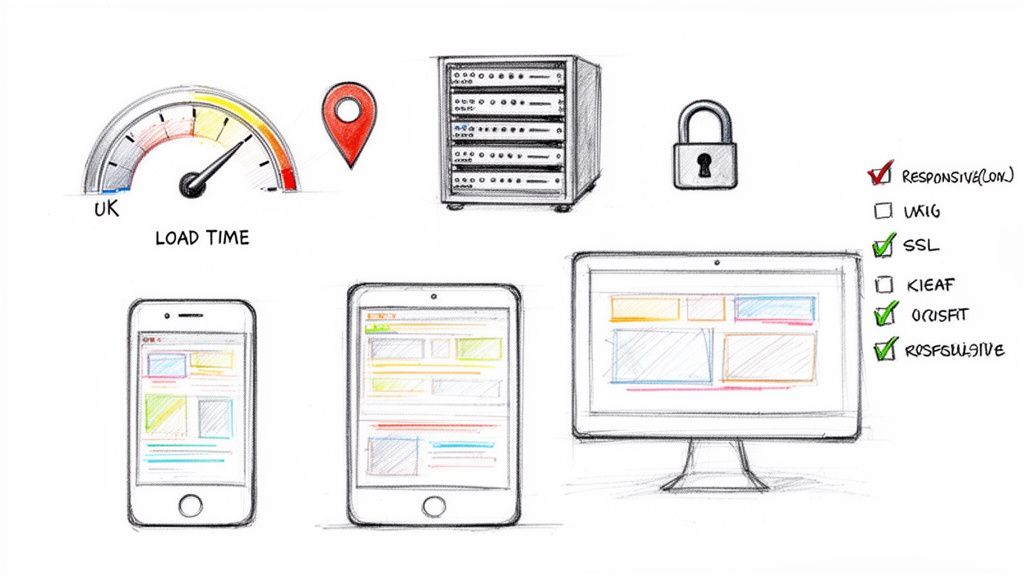
The probability of a bounce actually increases by a staggering 32% as page load time goes from just one to three seconds. With 78% of UK SMEs expected to be running websites by 2026, and WordPress dominating with a 62.9% market share, a slow site is a silent killer for thousands of businesses. The problem gets even worse on mobile, where 53% of users will abandon a site if it takes longer than three seconds to load. You can read the full research about these bounce rate statistics to see just how critical speed is.
For businesses here in the UK, one of the biggest factors is your server location. Hosting your site on UK-based servers dramatically cuts down on latency for your local visitors. It’s simple physics—the data has less distance to travel, so your pages pop up faster.
Here’s a practical checklist to get your speed up:
- Compress Your Images: Large, unoptimised images are the number one cause of slow pages I see. Use a WordPress plugin like Smush or EWWW Image Optimizer to automatically shrink your image file sizes without ruining the quality.
- Leverage Advanced Caching: Caching creates a static 'snapshot' of your site, so it doesn’t have to be rebuilt from scratch for every single visitor. A good managed host will handle server-side caching for you, but plugins like W3 Total Cache or WP Rocket can also give you a serious boost.
- Minify CSS and JavaScript: This sounds technical, but it just means stripping out unnecessary characters from your code to make the files smaller and faster. Most caching plugins have a setting for this, but it’s a core part of any professional website optimisation service.
Embrace a Mobile-First Mentality
It’s no longer enough for your site to just "work" on a mobile. It needs to feel like it was designed for it.
A poor mobile experience—with tiny text, buttons you can't tap, and clunky navigation—is a guaranteed way to send people running. For years now, Google has been using mobile-first indexing, which means it primarily looks at the mobile version of your site for ranking.
If you’ve checked your analytics and seen a much higher bounce rate on mobile devices (a very common problem!), then you know exactly where to focus. A responsive theme is the bare minimum. You need to go further and actually walk through the user journey on your own phone. Can you navigate the menu with one thumb? Can you fill out a contact form without wanting to throw your phone across the room? For a WooCommerce store, is the checkout process completely seamless on that small screen?
A responsive design ensures your website looks good on all devices. A mobile-first approach ensures it's genuinely usable and enjoyable on the devices your customers use most. This distinction is crucial for user retention.
Eradicate Technical Gremlins
Nothing screams "unprofessional" louder than a broken link or a server error. These little technical hiccups destroy trust and frustrate users instantly, sending them straight back to Google.
Proactive monitoring is your best friend here. These are the two common culprits you need to squash:
- Broken Links (404 Errors): These pop up when someone clicks a link to a page that doesn't exist anymore. Use a tool like the Broken Link Checker plugin or run a site audit with an SEO tool to find and fix them regularly. Always redirect old URLs to relevant new pages instead of just deleting them.
- Server Errors (5xx Errors): These signal a problem with your server itself. If you're seeing these frequently, it’s a massive red flag. Your hosting might not be up to the job, and it’s time to look for a more reliable provider.
Build Trust with Rock-Solid Security
Finally, let's talk security. In today's world, people are hyper-aware of online safety. If their browser flags your site as "Not Secure," it's an immediate deal-breaker for a huge number of them—especially if you run a WooCommerce store handling payment details.
An SSL certificate is completely non-negotiable. It encrypts the connection between your server and the visitor's browser, giving you that secure https:// prefix and the little padlock icon in the address bar. Most quality UK hosts provide free SSL certificates as standard. It’s such a simple, essential signal that tells visitors your site is legitimate and trustworthy, encouraging them to stick around. Without it, you’re starting on the back foot and practically asking people to bounce.
Crafting a User Experience That Captivates
Right, so your site is now technically sound. That’s a huge win, but it’s only half the battle. A lightning-fast site can still be confusing, unhelpful, or just plain boring. Now we get to the fun part: turning a functional website into one that people actually enjoy using.
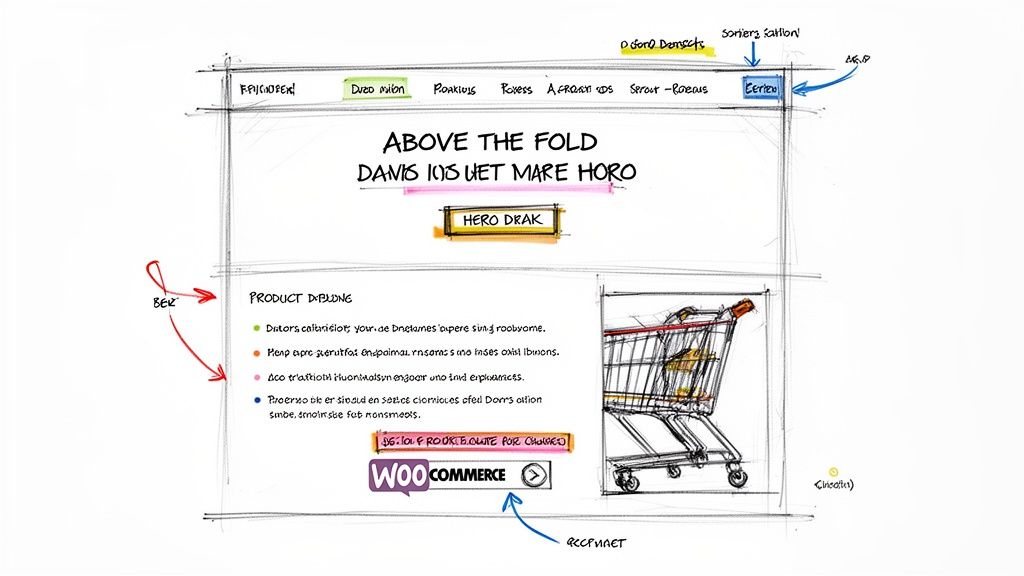
It all starts the second someone lands on your page. You’ve got maybe 3-5 seconds, tops, to convince them they’re in the right place. That first impression is everything, and it’s almost entirely dictated by what they see "above the fold" – the content visible without scrolling. If that space is a cluttered mess or doesn't deliver on the promise of your search result link, they’re gone.
Design for Clarity and Intuition
A brilliant user experience (UX) should feel effortless. Your visitors shouldn't have to think about where to click next; the path should feel natural and obvious. Your main navigation is ground zero for this. A disorganised menu is a one-way ticket to frustration and a higher bounce rate.
Keep it simple and logical. Group related pages under clear, descriptive headings. If you’re running a WooCommerce store, this means using obvious categories like "Men's Jackets," "Women's Footwear," and "Sale." Avoid clever-but-vague labels that nobody understands. The goal is to get people from A to B in the fewest clicks possible.
And don’t forget about on-page navigation. A powerful search bar, especially for e-commerce, is a must-have. It lets people with a clear idea of what they want bypass your menus and get straight to the product. A clunky, inaccurate search function is a guaranteed way to lose a sale.
Make Your Content Scannable
Let’s be honest: people don’t read websites, they scan them. A massive wall of text is intimidating and one of the quickest ways to send someone reaching for the 'back' button. If you want to lower your bounce rate, you have to format your content for modern attention spans.
It’s all about breaking up your text into bite-sized chunks. Here's how I do it:
- Use Short Paragraphs: I never go over two or three sentences per paragraph. It creates much-needed white space and makes the whole page feel more approachable.
- Write Clear Headings: Use descriptive H2 and H3 headings to signpost your content. This lets scanners jump right to the section that matters most to them.
- Embrace Bullet Points: When you’re listing features, benefits, or steps, bullet points are infinitely easier to digest than a rambling sentence.
This isn't about "dumbing down" your content. It's about respecting your reader's time and making your valuable information as easy to absorb as possible.
The golden rule of good on-page UX is alignment. Your page must instantly scream, "Yes, you've found the answer to the exact problem you just searched for!"
This alignment between what the user wants and what your page provides is absolutely critical. If someone searches for "best waterproof walking boots UK" and lands on a generic shoe category page, they'll bounce immediately. The landing page headline and content must be a direct match for the search query. For businesses struggling with this, there are experts who can help with your website to get this alignment spot on.
Optimise for WooCommerce Conversions
For UK e-commerce stores on WooCommerce, the product page is where the bounce rate war is truly won or lost. A visitor here is already showing strong interest, so every single element needs to build trust and nudge them towards a purchase.
Start with your images. High-quality, professional product photography is non-negotiable. Show the item from multiple angles, add a zoom function, and if you can, include a short video of it in use. These visual aids answer questions before they're even asked.
Next, sharpen up your product descriptions. Ditch the dry technical specs. Instead, use persuasive, benefit-focused language. Tell a story. Help the customer picture themselves using—and loving—the product. Use bullet points to highlight the key features for the scanners.
Finally, your call-to-action (CTA) needs to be unmissable. That 'Add to Basket' button should be big, bold, and use a colour that stands out from the rest of the page. Make sure it's positioned high up, above the fold. Any hesitation or confusion at this point will kill your conversion. By crafting a user journey that’s engaging from the first click, you give people every reason to stick around, explore, and buy.
Using Advanced On-Site Engagement Strategies
Once your site is technically sound and the user experience is smooth, you can stop playing defence and start playing offence. It's time to get proactive and give people compelling reasons to stick around and explore what you have to offer.
This is the point where you move beyond just preventing bounces and start actively encouraging deeper interaction. It’s how you turn a potential one-page visit into a meaningful journey through your site, guiding users towards more content, products, and solutions.

Weave a Web of Internal Links
One of the most powerful, and frankly underused, tools in your arsenal is strategic internal linking. Think of each link as a doorway to another relevant piece of your content. When someone finishes reading a blog post, what do you want them to do next? Don't leave it to chance.
Let's say you've written a brilliant article on "Choosing the Right Running Shoes." It's the perfect opportunity to link to related content like a post on the "Best Running Socks for Marathon Training" or even directly to your running shoe product category in your WooCommerce store. The key is that these links must feel natural and genuinely helpful, not just shoehorned in for the sake of it.
A well-placed internal link does more than just lower your bounce rate; it demonstrates your expertise and builds a logical pathway through your site, keeping users engaged with your brand for longer.
This tactic works just as well for service-based businesses. A page detailing your "Web Design Services" could easily link to specific case studies in your portfolio or a blog post you wrote on "The Importance of Mobile-First Design." Every click is another signal of engagement and another step away from the back button.
Craft Compelling Calls-to-Action
Every single page on your website needs a purpose—a clear next step for the visitor. This is where your call-to-action (CTA) comes in. A weak, vague, or non-existent CTA leaves your visitors wondering, "Right, what now?" And more often than not, their answer is to leave.
A great CTA is:
- Visible: Use a button colour that stands out from your page's background and give it some breathing room with plenty of white space. Make it pop.
- Specific: Ditch the generic "Click Here." Use action-oriented text that tells people exactly what they'll get, like "Get Your Free Quote" or "Shop the Summer Sale."
- Relevant: The CTA has to match the page's intent. You wouldn't ask someone to "Buy Now" on an informational blog post. Instead, something like "Subscribe for More Tips" is a much better fit.
Implement Smart Engagement Tools
Beyond simple links and buttons, there are some clever tools you can use to grab a user's attention right before they decide to bounce.
Exit-Intent Pop-ups (Used With Caution!)
You've probably seen these. Just as a user's mouse moves towards the close or back button, a pop-up appears with a last-minute offer. It could be a discount code, a free download, or an invitation to subscribe. The secret is to make the offer genuinely valuable and to use them sparingly—overdo it, and they just become annoying.
A Solid On-Site Search Function
If you run a content-heavy blog or a large WooCommerce store, a prominent and accurate search bar is non-negotiable. It allows people to find precisely what they're looking for, turning a moment of potential frustration (and a likely bounce) into a successful navigation.
Engaging Media
Nothing keeps people on a page quite like great media. Embedding videos, interactive quizzes, or helpful calculators can dramatically increase the time users spend on a page. Think about a product demonstration video on a WooCommerce page—it can often be the final piece of persuasion a customer needs to make a purchase.
The battle against bounces is relentless, especially for UK e-commerce sites. Data shows bounce rates climbed to 42.16% in December 2025, a noticeable jump from the previous year. What's really telling is that sites with terrible bounce rates (around 85%) see only about 1.29 pages per visit. In stark contrast, sites with low bounce rates can achieve 7-8 pages per visit. It's worth digging into the detailed analysis to learn more about these e-commerce market findings, as it really drives home how crucial engagement is.
By layering these strategies, you create a much richer, more interactive environment. You’re no longer just presenting information; you're starting a conversation and guiding visitors towards the solutions they're looking for. Do that, and they’re far more likely to stay, explore, and ultimately convert.
Got Questions About Bounce Rate? Let's Get Them Answered
Even after getting stuck into analytics and optimisation, a few common questions always seem to surface. It’s perfectly normal to wonder about benchmarks, the real-world impact of your hosting, and how often you should actually be doing all this.
Let's clear up some of the most frequent queries I hear from UK business owners trying to get their bounce rate under control.
So, What Is a Good Bounce Rate for a UK Website?
Honestly? There’s no magic number. A “good” bounce rate is completely contextual—it depends on your industry, your website's purpose, and even the specific page a visitor lands on. Getting fixated on some arbitrary industry average is a surefire way to get frustrated.
Think about it this way. A product page on your WooCommerce store should have a pretty low bounce rate, maybe somewhere in the 20-45% range. The whole point is to get people to browse more or add something to their basket. A bounce there is often a lost opportunity.
On the other hand, a blog post that perfectly answers a very specific question might have a sky-high bounce rate, sometimes 70-90%. Someone could land on the page, find exactly what they needed, and leave feeling completely satisfied. That’s a successful visit, even though it technically counts as a bounce.
Forget comparing yourself to others. The only competition that matters is with yourself. Your real goal should be to consistently improve your own numbers, month after month. That's what genuine progress looks like.
Can Decent Hosting Really Lower My Bounce Rate?
Absolutely. It’s one of the most critical, yet frequently overlooked, pieces of the puzzle. Think of your hosting as the foundation of your house. If the foundation is wobbly, it doesn’t matter how amazing the interior design is—the whole thing feels unstable.
Good quality, UK-based hosting makes a direct impact on the user experience in a few crucial ways that fight bounces:
- Sheer Speed: A fast server isn't a luxury; it's essential. We all know how impatient we are online. Even a one-second delay in page load time can send your bounce rate soaring. A local UK server cuts down the latency for your UK audience, making your site feel instantly more responsive.
- Reliability: Nothing screams "unprofessional" like a website that's constantly down. If your site is unavailable when a potential customer drops by, they won't just bounce—they probably won't be back. Ever.
- Trust Signals: A secure hosting setup, complete with essentials like an SSL certificate and malware scanning, gives visitors peace of mind. That "Not Secure" warning from a browser? It’s the digital equivalent of a "Keep Out" sign.
While brilliant content and clever design are what keep users engaged, they can't work their magic if the site is slow, unreliable, or feels unsafe. Investing in quality hosting isn't just a tech expense; it’s a direct investment in keeping your visitors on your site.
How Often Should I Be Working On This?
The trick here is to find a sustainable rhythm, not to become obsessed with checking your analytics every five minutes. Constantly refreshing the page can lead to knee-jerk reactions based on tiny daily fluctuations, which is a poor strategy.
Instead, weave bounce rate analysis into your regular website management routine.
For most businesses, a monthly check-in is the sweet spot. This gives you enough data to spot real trends and identify problem pages without getting lost in the daily noise. It allows you to see the effect of last month's changes and decide where to focus your efforts next.
Of course, there are exceptions. If you’ve just launched a major redesign, a big new landing page, or a key marketing campaign, checking in weekly for the first month is a very smart move. It helps you see the immediate impact and make quick adjustments if something isn't working as planned.
Ultimately, you want to treat this as an ongoing process of refinement, not a frantic, one-off fix. Small, consistent improvements over time will always deliver better, more lasting results.
At Vivihosting, we know that a fast, secure, and reliable website is the bedrock of a low bounce rate. Our managed UK-based WordPress hosting is fine-tuned for performance, ensuring your visitors get the best possible experience from their very first click. Let us handle the technical foundations so you can focus on what you do best—growing your business.
Explore our managed hosting plans.