

A WooCommerce maintenance service is basically a team of experts on retainer, dedicated to keeping your online shop running like a well-oiled machine. They handle all the technical heavy lifting—updates, security, backups, and performance tuning—so you don’t have to. The whole point is to catch and fix potential problems before they can hurt your business.
Why Your Online Store Needs a WooCommerce Maintenance Service
Think of your WooCommerce shop like a high-performance car. You wouldn't dream of driving it for years without changing the oil, checking the tyres, or getting its annual MOT. When it’s brand new, it runs perfectly, but time and use introduce wear and tear. Without that regular care, performance drops off until it eventually breaks down, usually at the worst possible time.
Your e-commerce site is no different. It might be lightning-fast right after launch, but it's a living thing. As you add new products, take orders, and welcome more customers, the complex software engine—WordPress, your theme, and all those plugins—is constantly changing. Letting that slide isn't just a technical oversight; it's a direct threat to your sales and your reputation.
The Real Cost of Neglect
Running an online shop without a proper WooCommerce maintenance service is a bit like playing Russian roulette with your most valuable business asset. The consequences can be swift and severe.
- Sudden Downtime: Picture this: you've just launched a massive bank holiday sale, and your website crashes. A tiny plugin update clashed with your theme, and now every minute your store is offline, you're haemorrhaging money and alienating customers.
- Security Breaches: An out-of-date plugin or theme is like leaving the back door unlocked for hackers. A breach could mean stolen customer data, a trashed reputation, and even hefty fines under UK GDPR laws.
- Poor Performance: A slow website kills conversions. Study after study shows that even a one-second delay in page load time causes a huge drop in sales. Shoppers expect a seamless experience and will abandon a clunky site in a heartbeat.
A proactive maintenance plan isn’t just about fixing things when they break. It's a strategic investment to ensure your digital shop front is a reliable, profitable, and secure place for customers, 24/7.
Shifting From Reactive to Proactive
Too many business owners only think about maintenance when disaster strikes—the site gets hacked, a scary error pops up, or the whole thing goes down. This "firefighting" approach is always more stressful, more expensive, and far more damaging to your brand.
A professional maintenance service completely flips that script.
Instead of you scrambling to put out fires, your maintenance partner is working quietly in the background to prevent them from ever starting. They take care of the crucial (but tedious) tasks that keep your store in top shape. This means safely testing and applying updates, keeping a constant eye out for security threats, taking regular backups, and fine-tuning everything for speed.
Ultimately, this proactive approach turns maintenance from a technical headache into a smart business strategy. It frees you up to focus on what you're good at—running and growing your business—knowing that your online store is secure, fast, and ready for whatever comes next.
The Core Pillars of a Reliable Maintenance Plan
A solid WooCommerce maintenance service isn't about one single task; it’s a whole suite of proactive, coordinated jobs designed to keep your digital shopfront healthy, secure, and turning a profit. Getting your head around these core components is the key to figuring out what different providers are actually offering. Think of it as the non-negotiable checklist for your store's future success.
Each pillar tackles a specific risk, from a sudden crash that takes your site offline to those sneaky performance issues that quietly chip away at your revenue. A good partner doesn't just wait for things to go wrong; they build a protective shield around your business by mastering these essential jobs. Let's break down what truly comprehensive care looks like.
Staged Updates for Total Peace of Mind
Let’s be honest, the most common reason a WooCommerce site breaks is a dodgy update. You click 'update' on a plugin, and next thing you know, your checkout is broken. This is precisely why a professional service never updates a live site directly.
Instead, they use a staging server—a perfect, private clone of your online shop. All the updates for WordPress, WooCommerce, your theme, and all those plugins are first installed and properly put through their paces in this safe space. This catches any conflicts or bugs long before they have a chance to affect a real customer.
Only when they’re 100% sure everything works as it should are the changes carefully rolled out to your live store. This methodical approach turns what could be a risky gamble into a safe, controlled procedure.
Proactive Security Monitoring: Your 24/7 Digital Guard
Leaving your store's security to chance is like leaving your physical shop unlocked overnight. Hackers are constantly running automated bots that scan the web for vulnerabilities in outdated software. A maintenance service is your 24/7 digital security team, actively defending your storefront.
This involves a few layers of protection:
- Firewall Configuration: A web application firewall (WAF) acts as a smart gatekeeper, blocking malicious traffic before it can even get near your site.
- Regular Malware Scans: Deep, automated scans regularly search for any suspicious code or security holes that might have popped up.
- Login Protection: They’ll put measures in place to stop brute-force attacks, where bots relentlessly try to guess your admin password.
If a threat is ever detected, the team gets an immediate alert to jump on it and sort it out, often before you even knew there was an issue.
The diagram below shows how these core pillars—Security, Performance, and Backups—work together to form the foundation of your store's overall health.
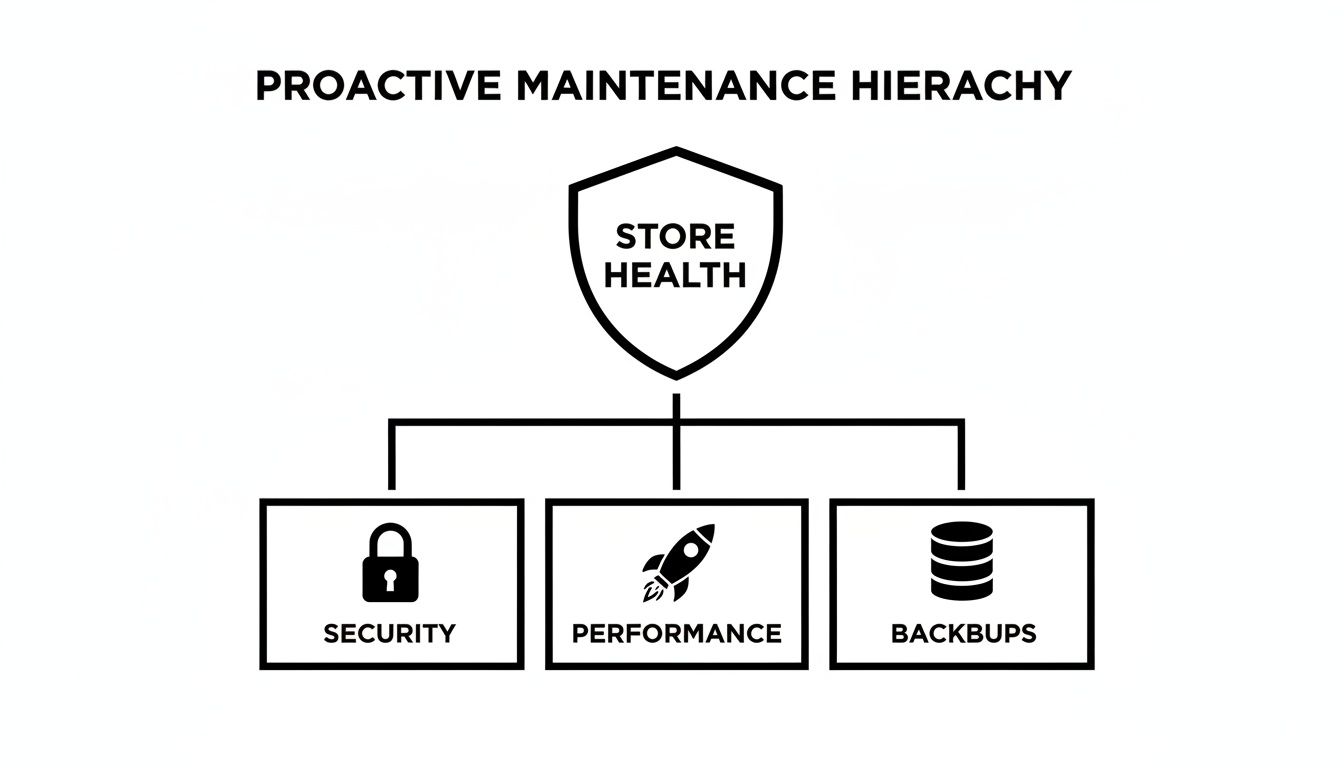
As you can see, total store health isn't just one thing. It's a balanced system where each part supports the others to create a resilient, trustworthy e-commerce business.
Daily Off-Site Backups: Your Ultimate Insurance Policy
What would you do if your website was completely wiped out tomorrow by a server crash or a nasty hack? Without a recent backup, the answer is pretty terrifying. A reliable maintenance plan includes the ultimate insurance policy: frequent, automated backups stored somewhere safe, well away from your main server.
Daily backups are the bare minimum for any active e-commerce store. This ensures that in a worst-case scenario, you'd lose, at most, a single day's worth of orders and customer data.
These backups are kept "off-site" on separate, secure cloud infrastructure. This is crucial. If your main hosting server is compromised, your backups remain safe and sound, ready for a swift restoration. For a deeper dive, you can learn more about how to effectively back up your WordPress site at https://vivihosting.com/how-to-backup-wordpress-site/.
Performance Tuning and Uptime Monitoring
A fast, responsive store is non-negotiable for keeping customers happy and staying on Google's good side. But performance isn't a one-and-done job; it needs constant attention. A maintenance service directly connects these technical tasks to a better customer experience and higher search rankings.
Here’s what that looks like in practice:
- Uptime Monitoring: Your provider uses tools that check on your site every few minutes. If it ever goes down, they get an instant notification and can start investigating straight away.
- Speed Optimisation: This could involve anything from optimising images and fine-tuning your database to setting up advanced caching to make sure pages load in a flash.
- Database Health Checks: Over time, your WooCommerce database can get clogged with old data, slowing everything down. Regular clean-ups keep it lean and efficient.
To get a full picture of everything involved, it's often helpful to look at a detailed guide like Your Ultimate Website Maintenance Checklist, which breaks down the essential tasks. These pillars—updates, security, backups, and performance—are the absolute non-negotiables.
DIY vs Professional WooCommerce Maintenance Service Comparison
Deciding between going it alone or hiring experts can be tough. The DIY route seems cheaper upfront, but the hidden costs in time, stress, and potential mistakes can be huge. A professional service, on the other hand, is an investment in stability and peace of mind.
This table breaks down the key differences:
| Maintenance Task | DIY Approach (The Risks) | Professional Service (The Benefits) |
|---|---|---|
| Plugin/Theme Updates | Clicking 'update' on a live site can break functionality, causing lost sales and customer frustration. | Updates are tested on a staging server first, ensuring zero downtime or issues on your live store. |
| Security | Relying on basic plugins leaves you vulnerable. You might not spot a breach until it's too late. | Proactive 24/7 monitoring, firewalls, and expert cleanup mean threats are stopped before they cause damage. |
| Backups | Backups might be infrequent, incomplete, or stored on the same server, making them useless in a real disaster. | Automated daily backups are stored off-site, guaranteeing a quick and complete recovery is always possible. |
| Performance | Without deep technical knowledge, it's hard to diagnose and fix the root causes of a slow site. | Continuous monitoring and optimisation from experts keep your site fast, improving user experience and SEO. |
| Troubleshooting | When something breaks, you're on your own, spending hours Googling for fixes while your store is down. | You have a dedicated expert on call to diagnose and fix complex problems quickly and efficiently. |
Ultimately, the choice comes down to what you value most. If your time is better spent growing your business than fixing technical glitches, then a professional service isn't a cost—it's a strategic investment in your store's success.
How Proactive Maintenance Drives Performance and Revenue
It's easy to see a WooCommerce maintenance plan as just another monthly expense on the balance sheet. That's a common mistake. In reality, it's a strategic investment that directly fuels your store's performance, protects your brand, and delivers a very real return. The technical work happening behind the scenes isn't just about keeping the lights on; it's the engine driving real-world business growth.
Every task, from cleaning up a database to applying a security patch, has a direct knock-on effect on your bottom line. It's the difference between a clunky checkout process that loses you customers and a seamless one that has them coming back for more. It's about getting ahead of the problems that actively cost you money and, just as importantly, your customers' trust.
From Milliseconds to Money
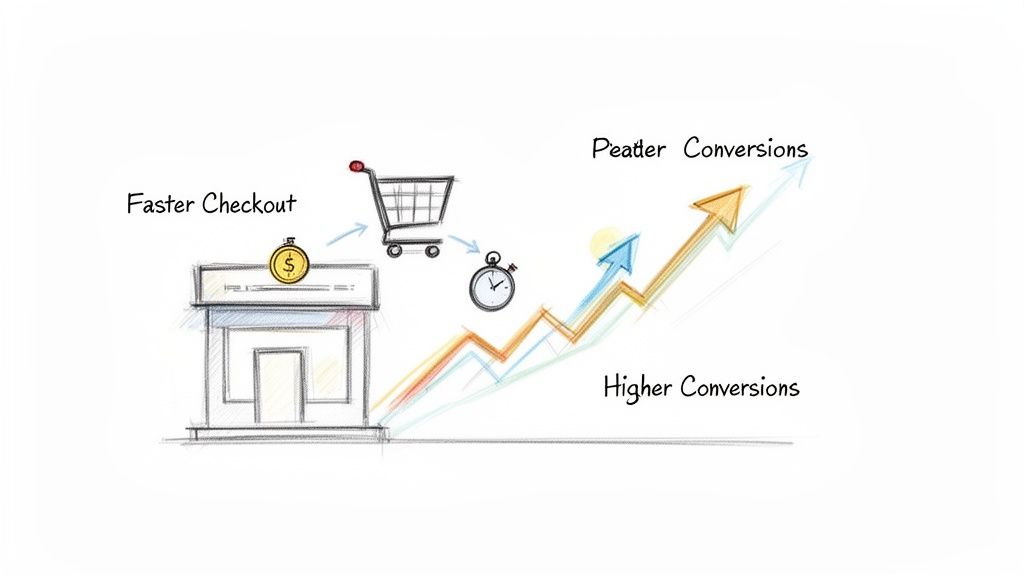
In e-commerce, speed isn't a feature; it's currency. A slow website is one of the most reliable conversion killers out there, and this is where proactive maintenance truly shines. Over time, your store’s database naturally gets bloated with old order data, expired temporary files, and other digital clutter. This build-up acts like sludge in an engine, slowing everything down from the time it takes a product page to load to the final click on the "buy" button.
A professional maintenance service regularly optimises your database, clearing out this junk and keeping your site running lean and fast. The results are immediate and incredibly tangible.
- Faster Page Loads: Even a one-second delay can cause a major drop in conversions. Consistent tuning keeps your site feeling snappy and responsive.
- Lower Bounce Rates: Shoppers have very little patience for slow websites. A faster experience keeps them on your site, browsing for longer.
- Improved SEO Rankings: Google has been clear that site speed is a ranking factor. A faster site is simply more likely to rank higher in search results, bringing you more organic traffic.
The link between a store's technical health and its commercial success is undeniable. With over 35,600 WooCommerce stores in the UK alone, the competition is fierce. Research shows that neglected sites can lose up to 23% of checkout conversions due to technical glitches, while professionally optimised sites often see speed boosts of 20-30%.
The True Cost of Downtime
Just imagine your online store goes down for an hour. Now imagine that hour is on Black Friday or during the Christmas shopping rush. The financial hit is much bigger than just the immediate lost sales. It chips away at customer trust, damages your brand's credibility, and sends potential buyers running straight to your competitors.
Proactive maintenance is your best line of defence against this kind of disaster. By carefully testing all updates on a separate staging server first and constantly monitoring for security threats, a good maintenance partner prevents the very issues that lead to unexpected downtime.
Preventing a single hour of downtime during a peak sales day can easily pay for several months of a professional maintenance plan. It completely reframes maintenance from a cost centre into a powerful revenue protection strategy.
Enhancing the Customer Journey
A well-maintained site simply provides a better experience for your customers at every single step. This is absolutely critical during the checkout phase, where any friction can lead directly to an abandoned cart. Glitches, slow loading elements, or confusing error messages are the main culprits.
A dedicated WooCommerce maintenance service ensures this final, crucial part of the journey is flawless. They make sure payment gateways are working perfectly and that the whole process is smooth, quick, and reassuring for the customer.
Optimising the checkout is a key part of performance, and reliable partners often specialise in setting up and maintaining the best WooCommerce checkout plugins to guarantee smooth transactions. By investing in a comprehensive website optimisation service, you are directly investing in higher conversion rates. This focus changes the conversation entirely: maintenance isn't just a technical chore; it's a core part of your customer service and sales strategy.
Choosing the Right WooCommerce Maintenance Partner in the UK
Picking the right maintenance partner for your WooCommerce store is a serious business decision, not just a tech problem to solve. Think of it less like hiring a supplier and more like bringing on a key team member—one who’s responsible for protecting your most valuable asset. The right partner works quietly in the background, a silent guardian making sure your shop is fast, secure, and always open for business. The wrong one? Well, that can lead to costly downtime, security nightmares, and a whole lot of frustration.
For UK businesses, this choice has an extra layer of importance. You don’t just need a partner who gets the technical side of WooCommerce. You need someone who understands the specific rules and performance needs of our local market. Things like time zones and geography actually matter a great deal when you need urgent help. A provider on the other side of the world just can't give you the same snappy, effective support when things go sideways.
Key Evaluation Criteria for UK Businesses
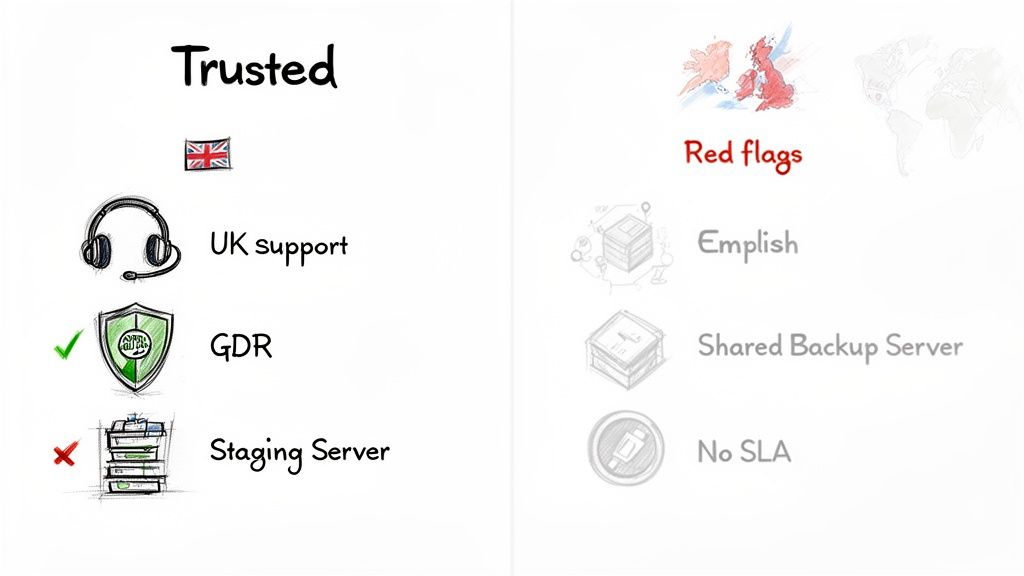
When you start looking at different providers, it’s all too easy to drown in a sea of technical jargon. To cut through that noise, you need to focus on what really matters for your business operations and your legal duties as a UK merchant. These are the non-negotiables that separate a truly professional WooCommerce maintenance service from a basic, high-risk alternative.
Your evaluation should really centre on a few key areas:
- UK-Based Support and Infrastructure: Is the team actually in the UK? This is massive. It means you get support during your business hours, not from a team eight hours behind. On top of that, having your site on UK servers is a game-changer for loading speeds for your local customers and helps you stay on the right side of GDPR.
- Clear Service Level Agreements (SLAs): An SLA isn't just paperwork; it’s a promise. It's a formal contract that tells you exactly what level of service to expect. It should spell out guaranteed response times for support tickets, uptime promises (look for 99.9% uptime), and exactly how they handle emergencies. Without a clear SLA, all those promises are just marketing talk.
- Transparent Reporting: A good partner keeps you in the loop with regular, easy-to-read reports. You should see a clear breakdown of everything they’ve done—updates applied, security scans run, backups taken, and any performance tweaks made. This isn't just about ticking boxes; it builds trust and shows you the value you're getting for your money.
Red Flags to Watch Out For
Knowing what to look for is only half the battle; you also need to know what to run away from. Some providers will cut corners to offer a tempting low price, but those shortcuts can leave your business wide open to risk. Keep a sharp eye out for these red flags, as they often signal an unprofessional or unreliable outfit.
A cheap maintenance plan often becomes the most expensive one in the long run. The cost of cleaning up after a single security breach or a major site crash will always dwarf the monthly savings from a budget provider.
Be on high alert for these warning signs:
- No Staging Environment: If a provider says they apply updates directly to your live website without testing them first on a staging server, that’s a huge red flag. This is just asking for trouble and is the number one cause of update-related site crashes.
- Vague Security Promises: Statements like "secure hosting" are meaningless without the details. You need to ask what their security stack actually includes. Do they provide a Web Application Firewall (WAF)? Proactive malware scanning? And crucially, will they clean up your site for free if it gets compromised?
- Backups on Shared Hosting: Storing your backups on the very same server as your live site is a rookie mistake. If that server goes down or gets hacked, you lose everything—your site and your only way to get it back. Backups absolutely must be stored off-site on separate, secure infrastructure.
- Lack of a Clear Support Process: Can you easily find out how to contact support, their opening hours, or their guaranteed response times? If not, that's a problem. When your site is down and you're losing money every minute, you need a crystal-clear way to get help, fast.
To help you sift through the options, we've put together a simple checklist. Use this to compare potential partners and make sure you’re covering all the important bases.
WooCommerce Maintenance Service Evaluation Checklist
| Feature/Service | What to Look For | Red Flags to Avoid |
|---|---|---|
| Support Team | UK-based team available during UK business hours via phone, email, and tickets. | Offshore teams, email-only support, no clear hours of operation. |
| Server Location | UK-based data centres for optimal speed and GDPR compliance. | Servers located in the US or other non-EU regions without justification. |
| SLA | A clear, written document with guaranteed response times and uptime of 99.9% or higher. | Vague promises, no written guarantees, or no SLA offered at all. |
| Update Process | Updates are tested on a staging site first before being deployed to the live site. | Applying updates directly to the live site without any testing. |
| Security | A multi-layered approach: Web Application Firewall (WAF), malware scanning, and included malware removal. | Generic "security" claims with no specifics, charging extra for malware cleanup. |
| Backups | Daily, automated backups stored securely off-site with a clear restoration process. | Backups stored on the same server as the website, infrequent backups (e.g., weekly). |
| Reporting | Regular, detailed reports showing all maintenance tasks performed (updates, scans, etc.). | No reporting, or reports that are vague and lack detail. |
This table should give you a solid framework for your conversations, helping you identify a provider who is genuinely equipped to protect and support your online store.
Essential Questions to Ask a Potential Partner
To make a truly informed decision, you need to go in armed with the right questions. Before you even think about signing a contract, get clear answers to these points. How they respond will tell you everything about their expertise, professionalism, and whether they’re truly committed to your success.
The UK WooCommerce market is booming, with over 35,600 active stores forming a huge part of the global scene. But there’s a catch: unmaintained sites face a 30% higher risk of being hacked. A professional service with proactive monitoring and daily backups is your best defence, helping you hit that crucial 99.9% uptime you need to compete. You can explore more data on the UK's WooCommerce landscape to see just how vital this is.
Here are the critical questions you need to ask:
- "Where are your support team and servers physically located?"
- "Could you show me a sample of your monthly maintenance report?"
- "What is your exact process for testing and applying WooCommerce and plugin updates?"
- "What specific security measures do you put in place, and is malware cleanup included in my plan?"
- "How often do you take backups, where are they stored, and what's the process for restoring my site?"
The quality and confidence of their answers will reveal whether they are a genuine partner ready to invest in your growth, or just another provider offering a basic, tick-the-box service.
Understanding Pricing and Service Level Agreements
When it comes to your online store, investing in a WooCommerce maintenance service is one of the smartest things you can do for your bottom line. But let's be honest, figuring out the costs can feel a bit confusing at first. The pricing you see isn't just a number plucked out of thin air; it’s a direct reflection of the expertise, proactive care, and guarantees a provider puts on the table to protect your revenue.
The goal isn't to find the cheapest option. It's about finding a partner whose plan delivers real, tangible value day in and day out.
Most reputable services offer a few different pricing tiers. This isn't an upsell tactic; it’s a practical way to ensure you get a plan that fits your store's specific needs and budget. A brand-new startup has very different requirements from a high-traffic e-commerce powerhouse, and the right maintenance plan reflects that reality.
These plans are usually set up as a monthly or annual retainer. This gives you predictable costs and, more importantly, uninterrupted protection. The real secret is to look past the price tag and dig into the details. Does the plan cover everything from safely staged updates and security monitoring to emergency malware removal and a set amount of support time?
Decoding Common Pricing Models
Think of the different maintenance tiers like a business insurance policy. The level of coverage you need depends entirely on the value of what you're protecting. For a WooCommerce store, that means protecting your sales, customer data, and brand reputation.
You'll typically find plans broken down like this:
- Starter or Essential Plans: These are perfect for new shops or small businesses just getting their feet wet. They cover the absolute must-haves: regular updates, daily backups, security scans, and uptime monitoring. It's all about laying a solid, protective foundation.
- Professional or Growth Plans: Aimed at established stores with consistent traffic, these plans usually add more proactive features. You’ll get everything in the starter package, plus performance optimisation, priority support, and often a bit of monthly development time for small fixes or tweaks.
- Premium or Business Plans: Built for high-volume stores where every second of downtime means lost revenue. These top-tier plans offer the fastest support response times, advanced security like a Web Application Firewall (WAF), and a more generous allowance of development time each month.
The UK WooCommerce scene is exploding, with over 554 new stores launched in just one recent 30-day period. That’s a 1.6% monthly jump, showing just how crucial reliable maintenance is to support this growth. Tiered plans are designed to serve this diverse market, making sure every business gets the right level of support.
The Importance of a Service Level Agreement
A Service Level Agreement (SLA) is probably the most important document you’ll review. It’s not just admin; it’s a contract that sets out, in black and white, the standard of service you are guaranteed to receive. If a provider can’t show you a clear SLA, that’s a massive red flag.
An SLA turns vague marketing promises into concrete, measurable commitments. It’s your guarantee that the provider will be there when you need them most, holding them accountable for protecting your business.
A solid SLA should clearly define a few key things:
- Guaranteed Response Times: This tells you exactly how quickly the provider will acknowledge a support request. For a site-down emergency, this needs to be fast—often within the hour.
- Uptime Guarantee: This is their promise that your site will be online and available to customers, typically 99.9% or higher.
- Scope of Support: It spells out what is and isn't included, like the number of "small jobs" or support hours allocated to you each month.
- Malware Removal Guarantee: A great SLA will state that if your site gets hacked while they’re looking after it, they’ll clean it up at no extra cost.
By getting to grips with these terms, you can confidently budget for a WooCommerce maintenance service and choose from the different website maintenance packages available. It’s about more than just buying a service; it's about investing in genuine peace of mind.
Your WooCommerce Maintenance Questions Answered
Even after getting to grips with what a professional WooCommerce maintenance service does, it’s normal to have a few more questions pop up. Choosing the right partner for your store is a big decision, so let’s tackle some of the most common queries we hear from UK business owners. The aim here is to give you clear, practical answers so you can feel confident in your next steps.
How Often Does My WooCommerce Store Need Updating?
Your WooCommerce shop needs constant care to stay secure and run smoothly. It’s not a one-and-done job; it’s an ongoing process. As a rule of thumb, you should be checking for updates to the WordPress core, your theme, and all your plugins at least once a week.
But it's not just about hitting the 'update' button. The real secret is doing it safely. Every single update, no matter how small it seems, needs to be tested on a staging site first. This is a private clone of your live store where you can spot and fix any conflicts before they have a chance to affect your customers.
The only exception? Critical security patches. These are urgent fixes for newly discovered weak spots and need to be applied immediately to fend off active threats. A professional service handles this entire workflow, giving you the perfect blend of up-to-the-minute security and rock-solid stability.
Can I Just Do My Own Maintenance to Save a Bit of Money?
Technically, yes, you can manage the maintenance yourself. But honestly, it’s a path loaded with risks that can cost you far more in time and money than you save. While the DIY approach looks cheaper on paper, the hidden costs can quickly get out of hand, demanding hours of your week for manual checks, updates, and troubleshooting.
More than that, it requires a fair bit of technical know-how to solve the tricky problems. When your site suddenly shows the dreaded 'white screen of death' or a plugin spat breaks your checkout, you’re left scrambling for a fix while your shop is offline and bleeding sales.
For most business owners, the time spent wrestling with technical maintenance is far better invested in marketing, product development, and customer service—the activities that actually grow the business.
When you weigh up the potential revenue lost from just an hour of downtime or the crippling cost of a security breach, a professional maintenance service almost always works out as the more sensible, cost-effective choice in the long run.
What Should a Good Maintenance Plan Actually Include?
A genuinely reliable maintenance plan stands on four essential pillars. If a service you're looking at is weak in any of these areas, it’s a major red flag.
- Updates: Safe and sound management of WordPress core, plugin, and theme updates, always tested on a staging server first.
- Security: Proactive protection, including regular malware scanning, a robust firewall, and a clear plan for what happens if a breach occurs.
- Backups: Daily, automated backups that are stored off-site (on a completely separate server) and can be restored quickly and easily.
- Performance: Constant uptime monitoring to flag if your site goes down, plus regular speed and database optimisations to keep things snappy.
On top of these basics, a top-tier service will often add more value. At Vivihosting, for instance, our plans build on this foundation by including UK-based hosting, free SSL certificates, and dedicated monthly support time for small fixes, offering a complete care package for your business.
My Store Is Running Fine. Why Would I Need Maintenance Now?
This is probably one of the most common—and dangerous—assumptions a shop owner can make. The best maintenance is always proactive, not reactive. Your store might look like it’s working perfectly from the outside, but hidden vulnerabilities could be putting your entire business at risk.
For example, an out-of-date plugin could have a security hole that hackers are actively hunting for across the web. You’d have no idea it was there until it was too late. In the same way, your site’s performance often degrades slowly over time as the database gets bloated, creating a subtle frustration for customers that quietly eats away at your conversion rate.
Think of a maintenance plan as business insurance; you get it to prevent a disaster, not to clean one up after it’s already happened. It keeps your store fast, secure, and reliable, protecting your revenue and reputation for the long haul.
Ready to secure your store and get back to focusing on growth? Vivihosting provides complete, UK-based WooCommerce maintenance and managed hosting, giving you the peace of mind to run your business without worrying about the tech. Explore our plans and protect your investment today at https://vivihosting.com.