

At its heart, WooCommerce website development is about building a completely custom e-commerce shop on top of the incredibly flexible WordPress platform. This combination gives UK businesses unmatched flexibility and control, letting you craft a unique shopping experience that can grow right alongside your company.
Why Smart WooCommerce Development Matters
Building a successful online store in the UK is about much more than just the technical setup; it’s a core business strategy. When you approach WooCommerce website development with a clear plan, you transform your website from a simple product list into a powerful sales engine, perfectly moulded to your brand and your customers. This is precisely why it’s the go-to choice for UK businesses, from ambitious start-ups to established brands who demand total control.
The platform’s true magic is in its endless potential for customisation. Unlike ‘walled garden’ e-commerce systems, WooCommerce sets you free to design every single step of the customer journey, integrate specialised UK payment gateways and shipping carriers, and fine-tune performance without hitting any walls.
The Foundation for Growth
Every choice you make during the initial build has a ripple effect on your store's future. For instance, getting your managed hosting right from the start with a provider like Vivihosting ensures your site has the speed, security, and power to handle a sudden surge in traffic during a Black Friday sale or a seasonal rush. A shaky foundation, on the other hand, almost always leads to slow loading times, abandoned carts, and security headaches later on.
Smart development isn't about cramming in every feature imaginable. It's about building a clean, fast, and secure base that directly supports your business goals and gives your customers a brilliant experience.
A Thriving UK Ecosystem
You don’t have to look far to see the UK’s confidence in WooCommerce. A staggering 55% of global WooCommerce revenue comes from key markets that include the UK, showing just how much economic activity the platform supports. With hundreds of new UK sites launching on WooCommerce every month, it’s clear that businesses trust its ability to power serious, scalable e-commerce. You can dive deeper into these WooCommerce statistics on WiserReview.
Of course, a great build is just the start. Knowing how to grow your online business is what truly leads to long-term success, and a well-developed site is the perfect launchpad for that journey.
2. Choosing Your Hosting and Infrastructure
Before you even think about themes or plugins, we need to talk about the bedrock of your online store: the hosting. It’s the single most important decision you'll make in your WooCommerce website development journey.
Think of it this way: you wouldn't build a bustling department store on foundations meant for a garden shed. That’s exactly what you’re doing when you put a dynamic e-commerce site on cheap, generic shared hosting. It's a recipe for disaster.
Shared hosting just can't keep up. It buckles under the strain of multiple shoppers browsing at once, struggles with database-heavy tasks like filtering products, and slows to a crawl during the all-important checkout process. The result? Painfully slow loading times, which we all know is a conversion killer. Just a one-second delay can send your bounce rate through the roof.
Why Managed WooCommerce Hosting Is Different
This is where managed hosting changes the game. It’s not just a slightly better version of shared hosting; it’s an entirely different beast, specifically engineered for the demands of WordPress and WooCommerce. Instead of cramming your store onto a server with hundreds of other random websites, you get a finely tuned environment built for one thing: performance.
A perfect example is server-level caching. Most people use a caching plugin, which is good, but it still has to wait for WordPress to load. Server-level caching is miles faster because it works before WordPress even gets involved. This slashes your page load times, especially when you’re hit with a sudden rush of traffic from a sale or marketing campaign.
This decision tree helps visualise how your store's current status—whether you're starting from scratch or optimising an existing site—should shape your immediate focus.
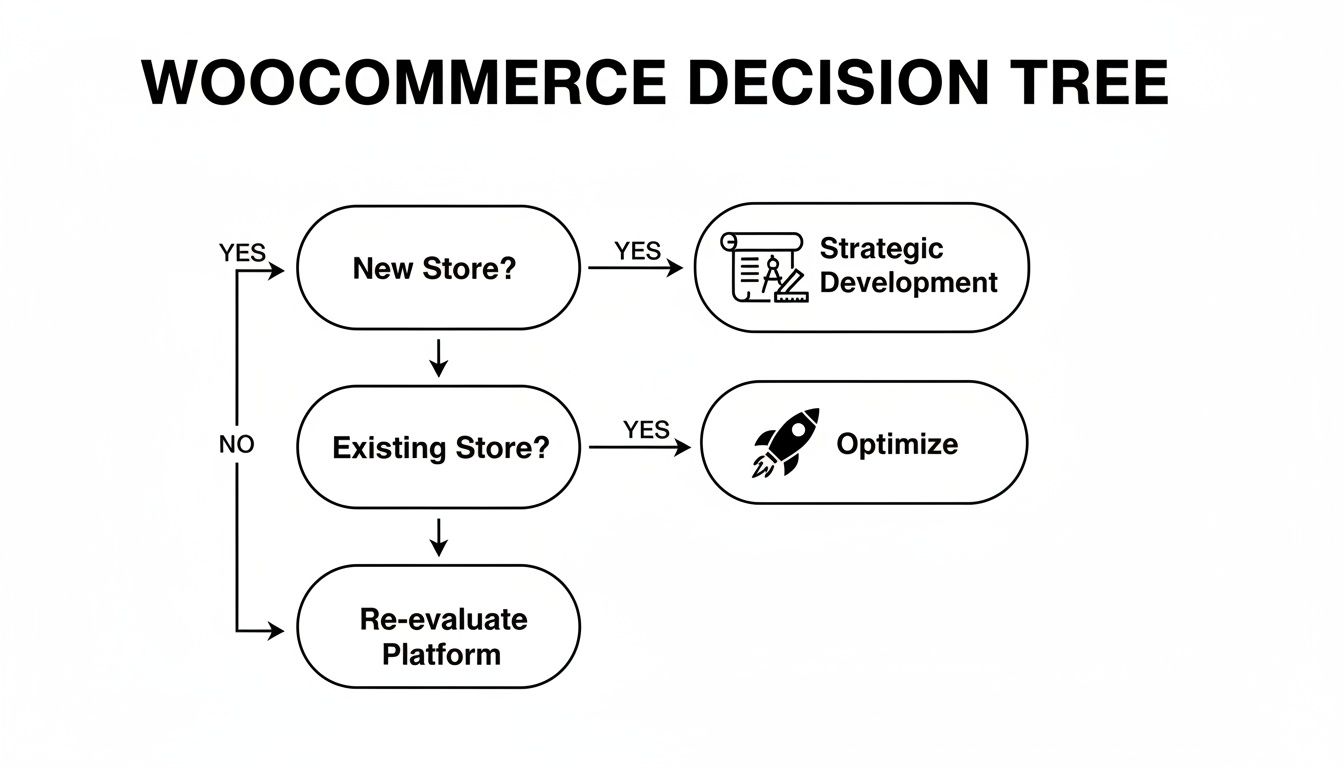
The takeaway here is that no matter where you are in your journey, a solid foundation is non-negotiable. It's the starting point for both new builds and successful optimisation.
To really see the difference, let’s compare them side-by-side. It's easy to see how the small monthly saving on shared hosting can end up costing you a fortune in lost sales and headaches.
Hosting Showdown: Shared vs. Managed WooCommerce
| Feature | Generic Shared Hosting | Managed WooCommerce Hosting (Vivihosting) |
|---|---|---|
| Performance | Slow. Resources are split between hundreds of sites, causing slowdowns during traffic spikes. | Fast. Optimised servers with server-level caching ensure rapid page loads, even under pressure. |
| Security | Basic, often requiring you to manage and configure your own security plugins. | Proactive. Includes built-in firewalls and malware scanning (like Imunify360) to block threats automatically. |
| Backups | Manual or basic. Restoring can be a slow, complicated process. | Automated daily backups. One-click restores mean you're back online in minutes, not hours. |
| Support | General support agents who may not understand the specifics of WooCommerce. | Expert support from people who live and breathe WordPress and WooCommerce. They can solve complex issues fast. |
| Scalability | Limited. A sudden surge in traffic can take your site offline completely. | Built for growth. Easily upgrade your plan as your business expands, without any downtime. |
This isn't just a technical checklist; it's a business decision. The right hosting directly impacts your store's reliability, speed, and ultimately, your bottom line.
Security and Support That Protect Your Revenue
An online store is a magnet for hackers and bots. This is another area where managed hosting truly earns its keep by providing layers of protection that cheap hosting simply ignores.
- Proactive Threat Defence: At Vivihosting, we include services like Imunify360 as standard. It acts as a 24/7 security guard, actively scanning for malware and blocking attacks before they can ever reach your store or compromise customer data.
- Automated Backups: If the worst should happen, you need a quick way back. We handle this for you with automated daily snapshots of your entire site. Restoring is simple, minimising downtime and protecting your sales.
- Expert Support: When something goes wrong, you need answers from someone who actually understands WooCommerce, not a generic call centre agent reading from a script. Specialised support is invaluable for troubleshooting those tricky plugin conflicts or performance bottlenecks.
Key Takeaway: Choosing your host isn't just a technical detail to tick off a list. It's a direct investment in your store's speed, security, and profitability. A faster, more reliable site simply makes more money.
Planning for Growth from Day One
The hosting you choose today shouldn't just work for your launch; it needs to be ready to grow with you. What starts as a small boutique can quickly become a high-volume business.
That's why a clear growth path is essential. You should be able to start on a plan that fits your launch budget and then seamlessly upgrade as your product line expands and traffic ramps up. This scalability saves you from a stressful and expensive migration later on. To get a feel for how different plans support various stages of growth, you can explore options for managed WordPress hosting in the UK and see how the resources align with your ambitions.
Ultimately, getting your infrastructure right from the start removes the technical headaches, letting you focus on what you do best: selling your products and building your brand. It turns your website from a potential liability into your most dependable business asset.
Designing Your Store with Themes and Plugins
Right, with your hosting sorted, we can move from the engine room to the shop floor. This is where the magic happens for your customers. The look, feel, and functionality of your store—all driven by themes and plugins—are what people will actually interact with. This stage of your Wooacommerce website development is make-or-break; it’s where you craft an experience that either pulls people in or pushes them away.
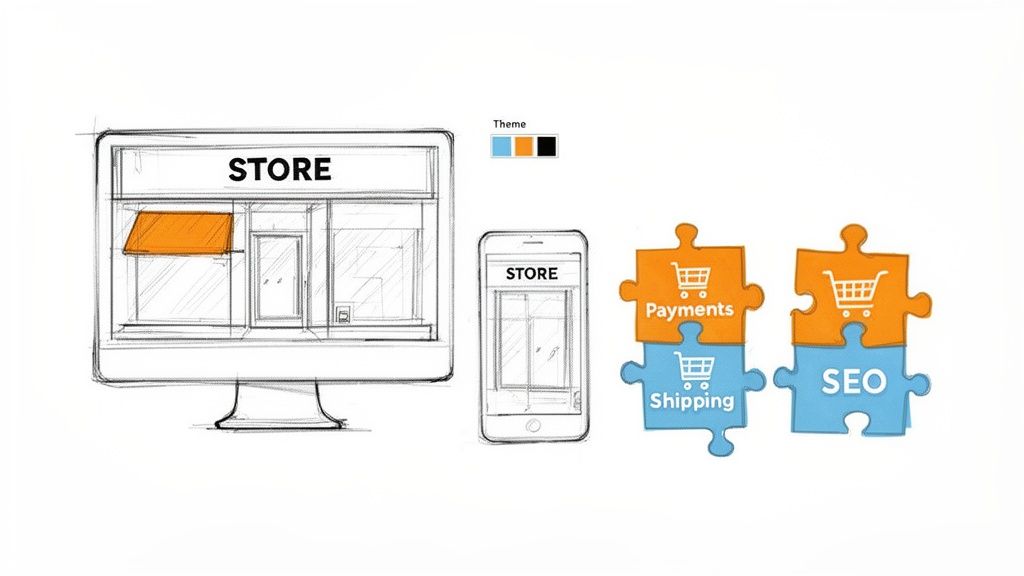
Think of your theme as the soul of your online brand. It sets the tone with its layout, fonts, and colours. It’s incredibly tempting to get distracted by themes packed with flashy animations and a million features, but trust me, that's usually a mistake. Nine times out of ten, a heavy, poorly coded theme is the main culprit behind a slow-loading website.
Selecting a Lightweight and Fast Theme
Your absolute priorities here should be speed and mobile responsiveness. A theme built for performance gives you a clean, solid foundation to build on. I almost always point people towards a lightweight, well-regarded option to start with. Think Storefront (the official theme from WooCommerce), or other popular choices like Astra and Kadence.
These themes are designed from the ground up to be minimal and fast. They play nicely with WooCommerce and give you a fantastic starting point without any unnecessary bloat. From there, you can use the WordPress Customiser or a page builder to inject your own brand’s personality.
A question I get asked a lot is about using page builders like Elementor. They're brilliant for design freedom, giving you a drag-and-drop interface to build practically anything. But that flexibility can come at a cost to performance if you get carried away. Piling on complex widgets and fancy effects can seriously weigh down your pages, slowing everything to a crawl.
The best approach is a balanced one. Start with a fast theme as your base, then use a page builder mindfully. Focus on creating clean, intuitive layouts instead of trying to use every visual trick in the book.
Building Your Essential Plugin Toolkit
Plugins are what truly unlock the power of WooCommerce, extending its core features to fit your exact business needs. The secret is to be strategic. You want to choose a select few high-quality plugins, not install dozens that will inevitably slow your site down and open up security holes.
It's like building a specialist's toolkit, not hoarding a messy toolbox full of rusty, forgotten gadgets. For UK-based stores, your essential kit should cover these areas.
Core Functionality Plugins
- Payments: A smooth checkout is non-negotiable. The official plugins for Stripe and PayPal are essential for taking card payments securely and offering a trusted alternative.
- Shipping: You need to integrate directly with UK carriers for accurate pricing and streamlined logistics. Find plugins that connect with Royal Mail, DPD, or whichever local couriers you’ll be using.
- SEO: People need to find you on Google. Yoast SEO and Rank Math are the two heavyweights here. Both give you excellent tools to optimise your product pages, categories, and general site settings.
- Performance: While your Vivihosting plan takes care of server-level caching, a plugin like Perfmatters can help you fine-tune the little things, like disabling scripts you don't need, to shave precious milliseconds off your load times.
This focused approach helps you avoid "plugin bloat"—a classic problem where too many active plugins cause conflicts and drag performance through the mud. Every single plugin adds code that has to be loaded, so being ruthless is key.
Identifying Quality Plugins in a Crowded Marketplace
The open nature of the WordPress ecosystem is both its greatest strength and a potential weakness. With a seemingly endless selection of plugins, how do you spot the good ones? We're fortunate that developers building for WooCommerce in the UK have access to over 59,000 compatible plugins, allowing for incredible customisation. You can get a sense of the scope of the UK WooCommerce ecosystem on BootLeads. However, you have to choose wisely.
When you're sizing up a new plugin, always look for these tell-tale signs to make sure it’s a smart and safe choice for your store.
- Last Updated Date: If a plugin hasn't been touched in over six months, it might be abandoned. That's a potential security risk you don't want.
- Active Installations: A high number—think tens of thousands or more—is a great indicator of trust and reliability in the community.
- User Reviews and Ratings: Look for consistently high ratings (4.5 stars and up). More importantly, read recent reviews to see what people are saying about the plugin and its support right now.
- Support Forum Activity: Pop over to the plugin's support forum on WordPress.org. If you see developers actively and promptly responding to issues, that's a brilliant sign.
By matching a fast, lightweight theme with a carefully curated toolkit of quality plugins, you create a store that isn’t just good-looking, but also powerful, secure, and built for speed. This disciplined approach is a cornerstone of successful WooCommerce website development and sets you up to give customers a great experience from the moment they arrive.
Getting Your Products, Payments, and Shipping Sorted
Right, with the look and feel of your store sorted, it's time to roll up our sleeves and get into the real nuts and bolts. This is where your shop truly comes to life. We're going to tackle the three pillars of any online store: the products themselves, how you’ll get paid, and how you'll get your goods to your customers.
Nailing these three is absolutely fundamental. Get them right, and you'll provide a smooth, trustworthy experience that keeps customers coming back.
Adding and Managing Your Products
First things first: your products. This is so much more than just dropping in a name and a price. The way you present everything—from the descriptions and photos to the different options available—is what will convince someone to actually click that "Add to Basket" button.
WooCommerce is brilliant at handling all sorts of different products. Let’s have a look at the main types you'll be working with.
- Simple Products: This is your bread and butter. Think of a specific book, a t-shirt in one particular size and colour, or a poster. Setting them up is straightforward: give it a title, a description, a price, and tell WooCommerce how many you have in stock.
- Variable Products: Here’s where it gets clever. A variable product is a single item that comes with options, what WooCommerce calls 'attributes' and 'variations'. A classic example is a jumper available in three colours (blue, green, red) and four sizes (S, M, L, XL). You’d create attributes for ‘Colour’ and ‘Size’, then generate a variation for every single combination, like 'Small Blue' or 'Large Red'. Each one can have its own price, stock level, and even its own photo.
- Grouped Products: This lets you bundle several related simple products together on one page, but allow customers to buy them individually. Imagine a "Build Your Own Hamper" page where shoppers can add cheese, crackers, and chutney to their basket all from one place.
- Virtual and Downloadable Products: Selling something that isn't physical? This is for you. If you’re offering a consultancy service, you’d tick "Virtual" to get rid of the shipping options. If you're selling an e-book or a piece of software, you’d tick "Downloadable," which lets you upload the file customers get after they’ve paid.
Don't ever underestimate the power of your product descriptions and images—they are your digital sales team. You need to do more than just list features; you have to sell the benefits. Write copy that answers your customers' questions before they even think to ask them. As for images, they need to be high-resolution but properly optimised. I always run my images through a tool like TinyPNG before uploading; it shrinks the file size down without any noticeable drop in quality, which is crucial for page speed.
A word of warning: never just copy and paste the manufacturer's generic product description. Writing your own unique, benefit-focused copy not only helps you sell more but gives you a massive SEO boost, helping you stand out from the crowd.
Configuring UK Payment Gateways
Now for the important bit: getting paid. A clunky or untrustworthy checkout is one of the biggest reasons people abandon their baskets. For anyone selling in the UK, the two payment gateways you absolutely must have are Stripe and PayPal.
Thankfully, both have official WooCommerce extensions that make integration a doddle. The setup wizards will guide you through connecting your business accounts. You can then choose to take card payments directly on your site with Stripe (which I highly recommend for a seamless experience) or redirect customers to PayPal's familiar platform.
Crucially, you must set GBP (£) as your store's currency in the WooCommerce general settings. This ensures every price, transaction, and report is in pounds sterling, avoiding any confusion for your UK customers. When setting up your WooCommerce store, looking into different payment solutions is key to making the checkout process as smooth as possible.
Setting Up Shipping and UK VAT
Last but not least, let's figure out the logistics. The shipping settings in WooCommerce are incredibly powerful, but they can look a bit intimidating at first glance. The secret is to think in terms of Shipping Zones.
A Shipping Zone is simply a geographical area you deliver to. For a UK-based business, you'll probably start with a few key zones:
- United Kingdom: Your main domestic zone.
- Europe: If you're planning to sell to the EU.
- Rest of the World: A catch-all for everywhere else.
Inside each zone, you then add your Shipping Methods. For your UK zone, you could offer a few common options:
- Flat Rate: A simple, fixed charge for delivery, like £4.95 on every order.
- Free Shipping: A great incentive, often tied to a minimum spend (e.g., "Free Shipping on orders over £50").
- Local Pickup: Perfect if you have a physical location where customers can collect their orders.
If you're using a specific courier like Royal Mail or DPD, you can find plugins that connect to their systems directly. This is fantastic because it pulls live shipping rates based on the parcel's weight and size, so your customers pay the exact cost.
Handling UK VAT Correctly
Getting UK Value Added Tax (VAT) right is non-negotiable. WooCommerce has solid tools to manage this. Just head over to WooCommerce > Settings > Tax.
From there, you can enable tax calculations. You’ll need to set up the "Standard" UK VAT rate, which is currently 20%. You can then decide whether you enter your product prices inclusive or exclusive of tax. For most shops selling directly to the public, the standard is to always display prices with VAT included.
By working through your products, payments, and shipping methodically, you're building a reliable operational core for your business. This groundwork ensures your customer's journey—from the moment they land on your site to the thrill of unboxing their order—is seamless and professional.
Fine-Tuning for Performance, Security, and SEO
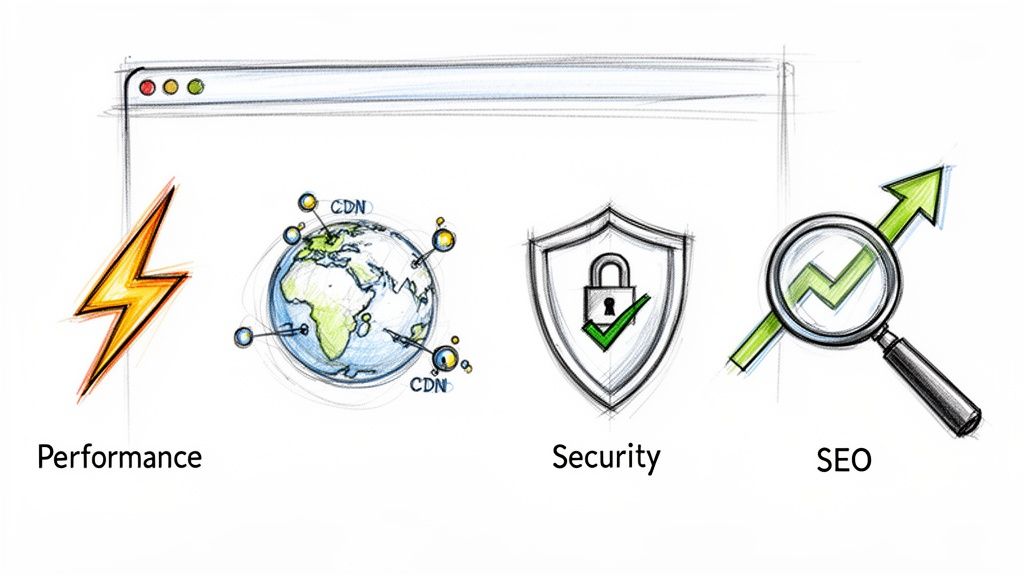
You've built the store, uploaded your products, and set up your payment gateway. Fantastic work. Now it's time to shift gears from building to perfecting. This part of your WooCommerce website development is all about making your new store lightning-fast, secure against threats, and easy for customers to find on Google.
Think of it this way: ignoring these three pillars is like opening a beautiful new shop but having flimsy locks on the doors, a single slow-moving queue, and no sign out front. It completely undermines all the hard work you've put in. Let's make sure your store is ready for primetime.
Supercharging Your Store's Speed
In e-commerce, speed isn't just a nice-to-have; it's a core feature. Every split second you can trim from your loading times has a direct, measurable impact on sales. While your managed hosting at Vivihosting takes care of the heavy lifting with server-level caching, you can push performance even further.
Go Beyond Basic Caching: The server is handling a lot, but what about the dynamic stuff, like the shopping basket? This is where object caching comes in. It stores common database queries in memory, which stops WordPress from having to ask the database for the same information over and over again. For a busy store, it's a massive speed boost.
Master Your Image Optimisation: We touched on this when adding products, but it’s so critical it needs its own spotlight. Huge, uncompressed images are the number one killer of fast WooCommerce sites. Before a single image gets uploaded, it needs to be:
- Sized correctly: Never upload a 4000-pixel-wide photo for a space that only needs a 600-pixel thumbnail.
- Compressed: Use a tool to shrink the file size without making the image look terrible.
- Served in modern formats: Using formats like WebP can slash file sizes compared to old-school JPEGs.
A Content Delivery Network (CDN) is another game-changer. It works by storing copies of your site's files (like images and code) on servers all around the world. When a customer from Manchester visits your site, the images are served from a nearby server in the UK, not one halfway across the globe. Everything feels practically instant.
Fortifying Your Digital Defences
An online store is a tempting target for bad actors. Security isn't something you set up once and forget about; it’s an ongoing process. While a service like Vivihosting’s included Imunify360 acts as your 24/7 digital security guard, there are simple habits you need to get into.
The most common ways attackers get in are through weak passwords and out-of-date software. Your first line of defence is just practising good password hygiene for all admin, shop manager, and even customer accounts.
On top of that, setting up two-factor authentication (2FA) is one of the most effective security moves you can make. It forces anyone logging into your admin area to provide a second piece of proof—usually a code from their phone—stopping password-guessing attacks dead in their tracks.
The UK's WooCommerce market is thriving, which also makes it a bigger target. With thousands of UK stores on .co.uk domains, strong security is non-negotiable for building customer trust. The platform's significant market share, as detailed in reports from services like StoreLeads, is built on a foundation of reliability and security.
Making Your Store Discoverable with SEO
Finally, let’s make it easy for people to find you. Search Engine Optimisation (SEO) for WooCommerce isn't some mystical dark art. It's really just a logical process of helping search engines like Google understand what you sell and why you’re the best place to buy it.
Your on-page SEO efforts should zero in on a few key areas:
- Product Titles: Be descriptive. Think about what your customers would actually type into Google. "Men's Waterproof Hiking Boots – Brand Name Model X" is infinitely better than just "Model X Boots".
- Meta Descriptions: This is your 160-character sales pitch that appears in the search results. Make it compelling and tell people why they should click.
- Category and Tag Pages: Don't forget about these! By optimising their titles and adding some useful descriptive text, you can turn them into powerful landing pages for broader searches like "women's running jackets".
Once your site’s content is looking good, you need to hand Google a map. Using an SEO plugin like Yoast or Rank Math, you can generate an XML sitemap—a neat list of all your important pages—and submit it to Google Search Console. This simple step helps Google discover and index your products much more quickly. Nailing these basics puts you way ahead, and if you want to go further, you can always explore our detailed guide on how to improve your SEO rankings.
Pre-Launch Checks and Your Long-Term Maintenance Plan
Before you pop the champagne, it's time for one last, critical look under the bonnet. A successful launch isn't just about flicking a switch; it's about meticulous testing to make sure every visitor has a perfect experience right from the get-go. Rushing this final step is a recipe for lost sales and a bruised reputation before you've even made your first pound.
First things first: become your own customer. Place a few test orders using every payment method you offer—a real credit card, PayPal, Klarna, you name it. Did the payment go through smoothly? Did the order notification land in your inbox? This is the only way to be 100% sure your checkout actually works.
Next up, shipping. Play around with different product combinations and test postcodes from across the UK to make sure your shipping rules are calculating correctly. Nobody wants a surprise at checkout. Finally, check all your automated emails – the order confirmations, shipping updates, and new account messages. They need to look professional and, most importantly, actually send!
Keeping Your Store in Top Shape
Once your site is live, the job isn't over. In fact, it's just beginning. An online shop is a dynamic thing, and it needs regular attention to stay secure, fast, and profitable. A solid maintenance routine isn't just a 'nice-to-have'—it's essential.
I always tell clients to build their routine around three core activities:
- Consistent Updates: The WordPress and WooCommerce ecosystem is constantly evolving. You'll see updates for the core software, your theme, and plugins roll out frequently. These often contain vital security patches, so don't ignore them. Aim to update weekly, but always test on a staging site first to avoid breaking anything.
- Reliable Backups: Your hosting plan should include automatic backups, but you need to own the process. Find out how often they run and—this is the crucial part—test a restoration. A backup you’ve never tested is just a hopeful theory.
- Performance Checks: Speed is sales. As you add more products and your traffic grows, you need to keep a close eye on your site's loading times. Run it through a speed test regularly to ensure it stays snappy and responsive.
Think of proactive maintenance as your store's insurance policy. It stops minor glitches from turning into major disasters that could knock you offline and cost you a small fortune in lost revenue.
Let's be honest, these tasks are repetitive but absolutely vital. If you'd rather focus on growing your business than getting bogged down in technical upkeep, a dedicated WooCommerce maintenance service can be a lifesaver. It automates the updates, backups, and security monitoring, giving you complete peace of mind.
Got Questions About Building a WooCommerce Site?
When you’re diving into a new e-commerce project, it’s only natural to have a few questions pop up. Let's tackle some of the most common ones we hear from people planning their WooCommerce journey.
What's the Real Cost of a Custom WooCommerce Website in the UK?
Honestly, it depends on what you need. A straightforward shop using a high-quality pre-made theme could get you started for a few thousand pounds. But if you're after a completely bespoke design with unique features or need it to talk to other systems (like your inventory or accounting software), you're looking at a range of £5,000 to £25,000, and sometimes more. The main things that drive the cost are how unique the design is and the complexity of the features you want.
Can WooCommerce Actually Cope With Lots of Traffic and Products?
Without a doubt, but there's a catch: it all comes down to your hosting. Stick a busy WooCommerce site on cheap, shared hosting, and it will grind to a halt pretty quickly. But when you give it the right environment—like a performance-first managed host such as Vivihosting—it thrives. With powerful servers and smart caching, it can handle thousands of products and huge spikes in traffic without breaking a sweat. It’s built to scale, as long as it has the right foundation.
Key Takeaway: Don't blame WooCommerce for being slow. Performance bottlenecks almost always lead back to the hosting, not the platform itself.
Is WooCommerce Secure Enough for Customer Payments?
Yes, it's designed to be very secure. The crucial point to understand is that WooCommerce itself doesn't store your customers' credit card details. That sensitive information is handled entirely by trusted payment processors like Stripe or PayPal on their own ultra-secure servers.
So, your responsibility is to keep your side of the street clean. This means always keeping WordPress, your theme, and all your plugins updated, using strong passwords, and, most importantly, choosing a secure hosting provider that offers things like firewalls and malware scanning.
Ready to build an online store that's fast, secure, and built for growth, without getting bogged down in technical jargon? At Vivihosting, we specialise in managed WooCommerce hosting and provide the expert support you need to keep your shop running smoothly.
Check out our plans and give your project the solid foundation it deserves. Find out more at https://vivihosting.com.