


Think of WordPress website support as having a dedicated pit crew for your website. This isn't just a helpline you call when things break; it's a team of experts constantly working behind the scenes to keep your site secure, fast, and running flawlessly. It’s about taking care of your most valuable digital asset, so you don’t have to become a technical guru yourself.
Why WordPress Website Support Is Non-Negotiable
Imagine your website is a high-performance car that drives your business forward. Just like any sophisticated engine, it needs regular tune-ups, security checks, and expert maintenance to perform at its best and avoid a complete breakdown. Skipping this essential care is a huge gamble, especially for UK businesses that are legally required to protect customer data under strict GDPR rules.
Many business owners fall into the trap of seeing website support as purely reactive—something you only pay for when your site is down. But proper WordPress website support services flips that idea on its head. It’s a strategic partnership focused on proactive prevention, designed to stop problems before they can ever affect your customers, reputation, or bottom line.
The True Cost of Neglect
Without a dedicated support team, you’re the one on the hook for every technical detail. That means handling tricky software updates, scanning for security breaches, fine-tuning page speed, and fixing plugin conflicts. One wrong move, like a failed update, could take your entire site offline, costing you sales and damaging your brand's credibility.
This DIY approach eats up time you could be spending on what you do best—running your business. On top of that, the online world is getting more dangerous by the day.
The reality is that your website is always a target. Proactive support isn't just about convenience; it's about building a digital fortress to protect your investment, your data, and your customers' trust.
A Constant State of Threat
The sheer volume of automated attacks on WordPress sites is mind-boggling. Globally, there are over 90,000 cyber attacks hitting WordPress sites every single minute. UK small businesses are often prime targets because hackers assume they have weaker defences. This threat level makes managed support a necessity for survival.
For example, the security experts at Wordfence blocked over nine billion malicious login attempts in 2024 alone. Hackers were hitting sites every 32 minutes, and a shocking 95% of those attacks were linked to out-of-date plugins. You can find out more about how a proper support service should be shielding you from these threats.
Ultimately, professional support isn’t just another business expense. It’s a smart investment in security, stability, and peace of mind, ensuring your digital engine keeps driving your business forward without any costly surprises.
What's Really Inside a Comprehensive Support Plan?
When you invest in a proper support plan, you're not just buying an insurance policy for your website. Think of it as bringing a dedicated performance and security team on board, whose sole focus is keeping your online presence sharp, fast, and reliable. All the core components work in harmony to make sure your site is a rock-solid asset for your business.
This diagram helps visualise it: your website is a central business asset, held up by three critical pillars—performance, security, and ongoing maintenance.
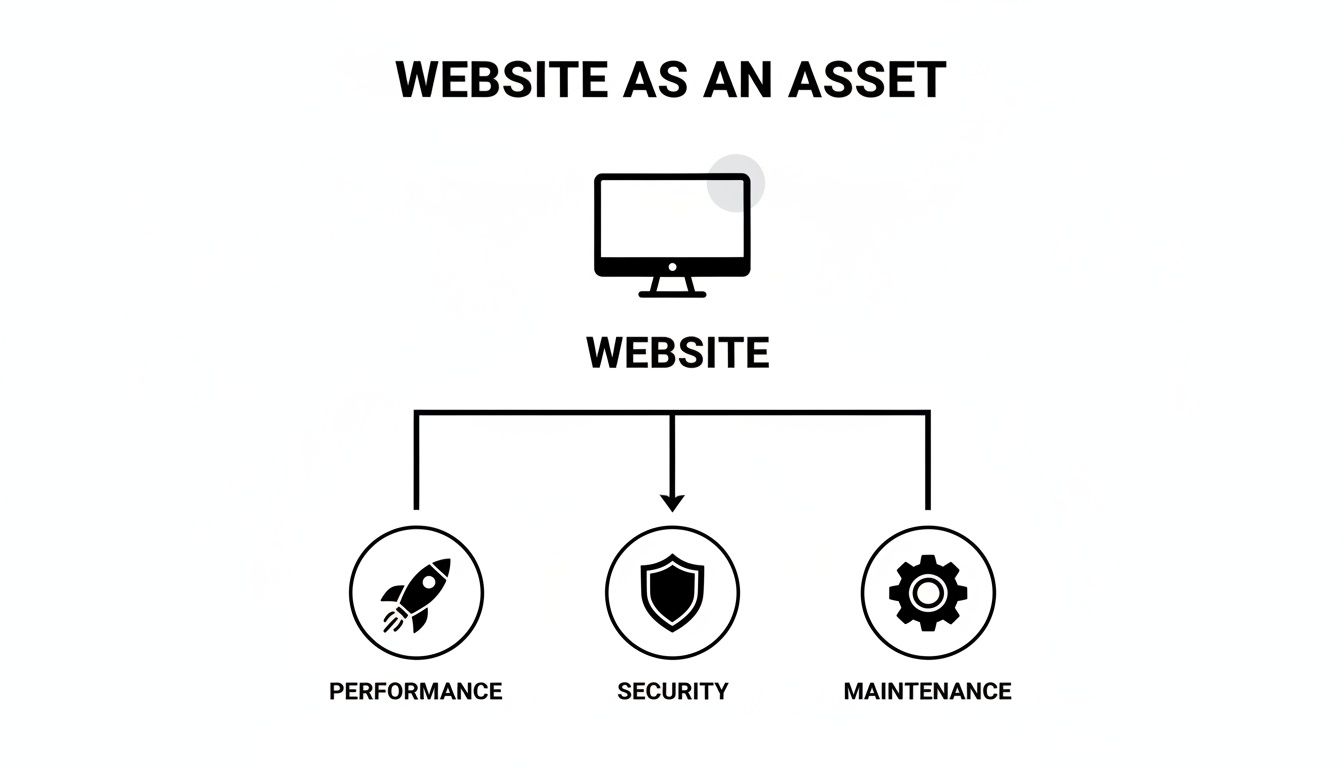
Neglecting any one of these pillars puts the entire asset at risk and stops it from effectively driving growth.
Let's break down what you should expect from a great support service.
To give you a quick overview, here are the essential services you should look for and why they matter for your business.
Essential WordPress Support Service Features at a Glance
| Service Component | Primary Business Benefit |
|---|---|
| Technical Updates | Prevents security breaches and site breakage from outdated software. |
| Proactive Security | Stops attacks before they happen, protecting data and brand reputation. |
| Performance Tuning | Improves user experience, boosts SEO, and increases conversions. |
| Regular Backups | Provides a complete safety net for fast recovery from any disaster. |
Each of these elements plays a vital role in the health and effectiveness of your website, turning it from a potential liability into a reliable engine for growth.
Technical Updates for Core, Themes, and Plugins
The bedrock of any solid WordPress support service is the careful management of updates. WordPress itself, along with its vast ecosystem of themes and plugins, is constantly evolving. These updates aren't just about adding shiny new features; they are absolutely crucial for patching security vulnerabilities as soon as they're discovered.
In the UK, WordPress powers an incredible 43% of all websites, making it the undeniable market leader. But its popularity is a double-edged sword, making it a massive target for hackers. One recent analysis found 7,966 new vulnerabilities in a single year—that's about 22 per day—and a staggering 96% of them were found in plugins and themes, not the core software. For any UK business handling customer data under GDPR, this is a serious compliance headache.
A professional support team doesn't just click "update." They follow a strict process:
- Staging Environment Testing: First, they test every update on a clone of your site to make sure nothing breaks.
- Scheduled Rollouts: Updates are then pushed to your live site during quiet periods, minimising any chance of disruption for your customers.
- Post-Update Checks: Finally, the team does a thorough check to confirm everything is working just as it should.
This disciplined approach means you'll never have to face that sinking feeling when a simple plugin update unexpectedly crashes your entire website.
Proactive Security Monitoring and Malware Removal
Simply waiting for your site to get hacked is a recipe for disaster. A modern support plan is all about being proactive, using a whole suite of tools to defend your site around the clock. It's the digital equivalent of having a 24/7 security patrol for your online shop.
This involves things like a web application firewall, which acts as a bouncer, blocking malicious traffic before it even gets to your site's front door. It also means running regular malware scans to sniff out and eliminate any suspicious code that might have slipped through.
A great support service doesn't just clean up messes; it builds a digital fortress to prevent them from happening in the first place. This shifts your security posture from reactive to preventive.
And if the worst does happen? A proper plan includes full malware removal and blacklist remediation. If your site gets flagged by Google, your support partner will handle the entire clean-up and the communication needed to get those warnings lifted, quickly restoring your site's reputation. This is just one of the many protections we cover in our guide to UK website maintenance services.
Performance Optimisation and Speed Tuning
Let's be blunt: a slow website is bad for business. It doesn't just annoy visitors—it actively damages your SEO rankings and kills your conversion rates. Performance optimisation isn't a one-and-done task; it's a continuous process of tweaking and tuning to make your site faster and more responsive.
This usually involves a few key technical adjustments:
- Advanced Caching: Storing ready-made copies of your pages so they can be served up to visitors almost instantly.
- Database Optimisation: Regularly cleaning out the digital clutter from your site's database so it can run efficiently.
- Image Compression: Shrinking image file sizes without losing visual quality, often the number one cause of slow load times.
- Server-Level Tweaks: Fine-tuning the hosting environment to be perfectly configured for a WordPress site's needs.
These ongoing efforts create a much smoother user experience, which keeps people on your site longer and makes them more likely to become customers.
Regular Automated Backups and Recovery
Finally, we have the ultimate safety net: a robust backup strategy. Any support plan worth its salt will ensure that a complete, restorable copy of your entire website is created automatically, usually on a daily basis.
Crucially, these backups should be stored 'off-site' in a secure, separate location from your main web server. This means that even if something catastrophic happens to the server—like a total hardware failure—your data remains completely safe. A reliable support partner guarantees they can get you back online quickly from the latest backup, giving you invaluable peace of mind.
Specialised Support for WooCommerce and E-commerce Stores
Running an online shop is a completely different ball game compared to managing a simple brochure website. Think of a standard site as your shop window—it looks nice and shows people what you do. An e-commerce site, on the other hand, is the entire shop: the tills, the stockroom, the security, the whole operation. It’s a living, breathing system that handles money, customer data, and payment gateways, which brings a whole new level of complexity and risk.
For any UK business using WooCommerce, a generic WordPress website support service just won't be enough. Your revenue, your customers' trust, and your reputation are at stake with every single sale. A specialist understands that an online store isn't just a website; it’s a dynamic, money-making engine that needs constant, expert care to keep it running smoothly.
Securing the Entire Customer Journey
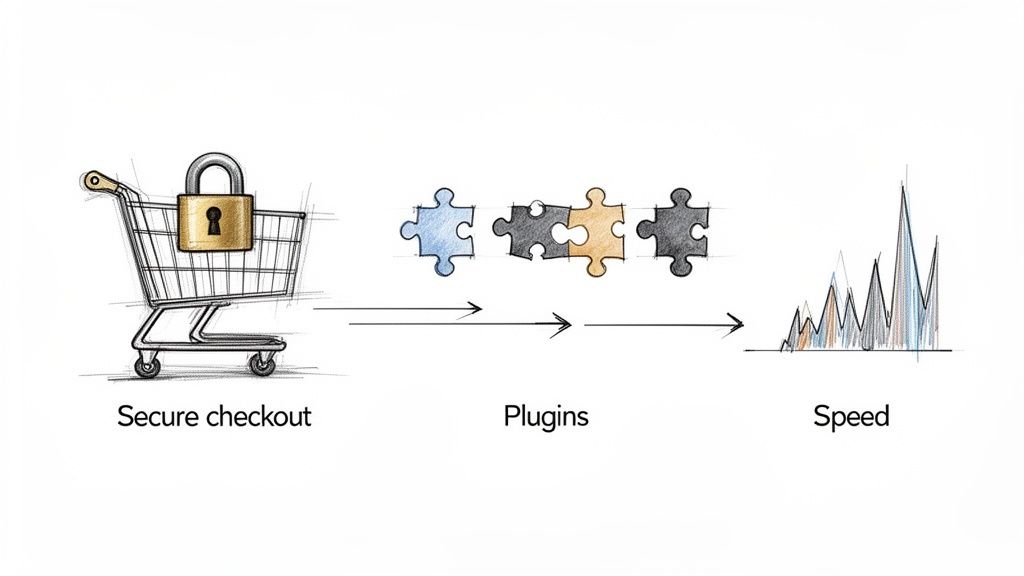
Standard website security is a great starting point, but for an e-commerce site, it barely scratches the surface. A specialist support team looks at the entire customer journey, from the moment someone lands on a product page right through to the 'thank you' message after they’ve paid. This means shoring up every single potential weak spot along the way.
That includes locking down the checkout process with solid security protocols, making sure payment gateway integrations are watertight and can’t be intercepted, and protecting sensitive customer account details. It's about building a secure bubble around the whole transaction, not just to comply with UK data protection laws, but to give your customers total confidence when they buy from you.
Optimising for Conversions and Performance
Nothing kills a sale faster than a slow or buggy checkout. Slow loading times are one of the biggest reasons for cart abandonment, costing UK businesses a fortune in lost revenue. Specialised WooCommerce support dives much deeper than basic speed tweaks; it focuses on optimising the core of the shopping experience itself.
This usually involves:
- Checkout Flow Optimisation: Analysing every step a customer takes to buy something, removing any friction to make the process as seamless as possible.
- Database Performance: WooCommerce stores rely on complex databases full of orders, products, and customer info. Keeping that database trim and efficient is absolutely vital for speed.
- Peak Traffic Readiness: Making sure your website can handle a massive surge in visitors during big sales like Black Friday, preventing a crash when you need it the most.
An e-commerce site's performance isn't just a technical metric; it's a direct driver of revenue. Every millisecond saved in loading time can translate into a measurable increase in conversions and sales.
Managing Complex Plugin Ecosystems
WooCommerce gets its power from a huge range of plugins that handle everything from payment processing and shipping calculations to stock control and marketing. While these add-ons are brilliant, this tangled web of extensions is often where conflicts, bugs, and serious security holes appear, and they can easily bring a store to a grinding halt.
A dedicated e-commerce support team has seen it all before. They have real-world experience managing these intricate setups and know which plugins play nicely together, how to fix conflicts without taking your store offline, and how to apply updates in a safe, controlled way. That kind of expertise is essential for keeping your online store stable and secure, allowing it to grow without being held back by technical problems.
How to Choose the Right UK Support Provider
Picking the right partner for your WordPress website support can feel like a bit of a minefield, but it doesn't have to be. With a solid game plan, you can easily cut through the marketing fluff and find a provider that genuinely understands what your business needs. This isn't just about hiring a techie; it's about finding an extension of your own team.
Think of it like choosing a trusted mechanic for your company van. You wouldn't just hand the keys to the first person you find. You'd want someone with proven expertise, a reliable track record, and a clear grasp of what you need. The same logic applies here, especially for UK businesses where things like data compliance and local performance are non-negotiable.
Start with a Provider Vetting Checklist
Before you even think about picking up the phone, you need a shortlist. Drawing one up based on a few non-negotiable criteria will save you a world of time and help you concentrate on providers who are a genuine fit for your UK-based operations.
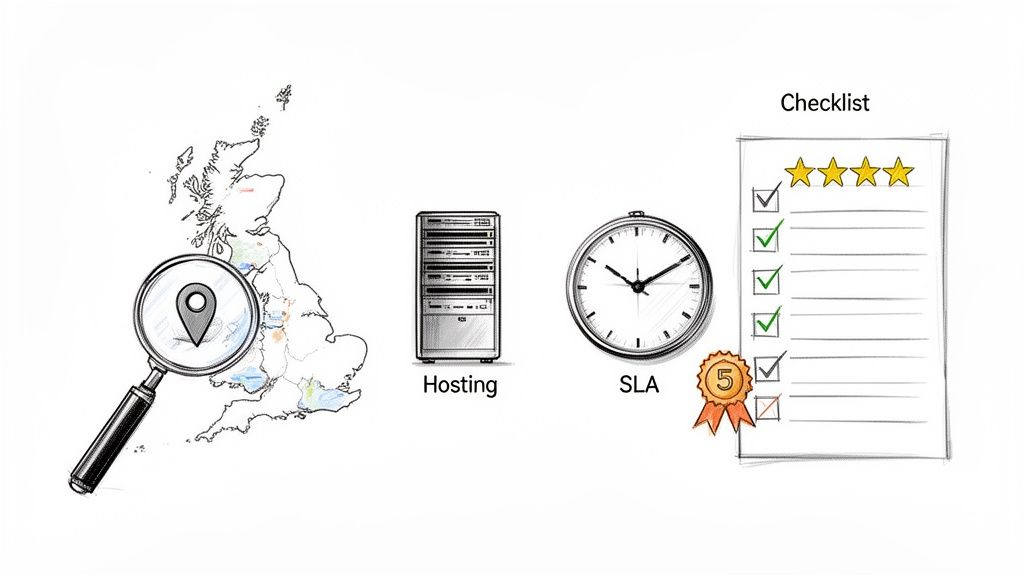
Your initial checklist should confirm these basics:
- UK-Based Team and Hosting: Is their support team actually in the UK? Are their servers here too? This is critical for getting faster site speeds to your local customers and staying on the right side of UK data protection laws.
- Verifiable Client Testimonials: Look for real, detailed reviews from businesses like yours. A vague, one-line "they were great" is a red flag. You want to see testimonials that explain how the provider solved a specific problem.
- Transparent Pricing and SLAs: Their website should clearly lay out what’s included in each plan, the costs, and their guaranteed response times (Service Level Agreements). If you spot hidden fees or ambiguous terms, it’s a sign of trouble down the line.
Nailing this groundwork helps you weed out the providers who aren't a good logistical or professional match, leaving you with a much stronger set of contenders.
Ask the Right Questions to Uncover True Expertise
Once you’ve got your shortlist, it’s time to start digging a bit deeper. The real quality of a provider often shows not in what they promise on their flashy website, but in how they handle real-world problems. You need to go in armed with specific, probing questions to get a real sense of their processes and expertise.
Many UK businesses completely underestimate the true cost of keeping a website running smoothly. A professional B2B setup can easily average between £1,000-£1,400 annually, and for enterprise-level needs, that can soar to as much as £7,500. Unexpected disasters, like recovering from a botched update, can tack on another £500-£2,000 to the bill. This is exactly why a predictable, all-inclusive support plan often makes far more financial sense. You can learn more about how these costs break down in these insightful WordPress statistics.
To make sure you're putting your money in the right place, use this table as a framework for your conversations. It's designed to help you vet potential providers and ask the questions that really matter.
Provider Vetting Checklist and Key Questions
| Evaluation Criteria | Question to Ask Provider |
|---|---|
| Emergency Response | "What is your exact protocol for a site-down emergency outside of business hours?" |
| Update Safety | "How do you test plugin and theme updates before deploying them on my live site?" |
| Security Proactiveness | "Beyond a firewall, what specific tools and processes do you use for proactive security monitoring?" |
| Performance Metrics | "What key performance indicators do you track, and how often will you report on my site's speed?" |
| Team Expertise | "Can you describe the technical background of the team members who will be working on my site?" |
These questions push them beyond a simple "yes" or "no" and force them to explain their actual methodology. A good answer reveals a well-thought-out process, while a vague one tells you everything you need to know.
The best WordPress website support services are defined by their processes. A provider who can clearly articulate their emergency protocol and update-testing strategy is one who has built a reliable, professional operation.
Look for a True Partnership
Ultimately, what you’re looking for is more than just a technical helpdesk. You need a long-term partner who is genuinely invested in your success. A great provider will be proactive, offering suggestions to improve your site's performance, security, and user experience—often before you even realise there’s an issue.
Pay close attention to how they communicate during the initial sales process. Are they really listening to your specific concerns, or are they just trying to push their most expensive plan? The right partner will take the time to understand your business and recommend a solution that actually fits your needs and budget. That focus on partnership, not just transactions, is the real hallmark of an exceptional support provider.
Understanding Support Plans and Pricing Models
When you start looking into WordPress website support services, one of the first questions you’ll ask is, "So, what's this going to cost me?" There’s no simple, one-size-fits-all answer, because the pricing is built around the level of support your specific website needs. A good way to think about it is like a mobile phone contract – you pick a plan based on how you use it, whether you’re just making a few calls or streaming videos all day.
Support plans are structured in a similar way, with different tiers designed for everything from a personal blog to a sprawling e-commerce empire. Getting your head around these models is the first step to finding a service that fits your budget while giving your site the protection it deserves.
Monthly Retainers: The Standard for Proactive Care
By far the most common model you'll come across is the monthly retainer. You pay a fixed fee every month, and in return, you get a clearly defined set of services, like daily backups, security monitoring, and plugin updates. Businesses love this approach because it makes costs predictable and ensures someone is always keeping a watchful eye on their website.
For instance, a basic retainer is often perfect for a small business site or a blog, covering all the essentials to keep it secure and up-to-date. A more comprehensive plan might throw in performance optimisation and developer time for a larger, more complex site with custom features. You can get a feel for how these are structured by looking at different tiered website maintenance packages.
The real value here is in prevention. You're not just paying for a helpline to call when things go wrong; you're investing in a team that actively works to stop those problems from ever happening.
Pay-As-You-Go: For Ad-Hoc Support
An alternative to the retainer is the pay-as-you-go (PAYG) model. Here, you might buy a block of support hours upfront or just pay an hourly rate whenever you need a hand. This can seem appealing for businesses with very simple websites that rarely change or for those who already have someone in-house handling the basics.
The catch is that this model is purely reactive. You’re only reaching out for help after a problem has surfaced, which can be far more stressful and often more expensive, especially in an emergency. It offers flexibility, but you miss out on the peace of mind that comes with continuous, preventative care.
A monthly retainer is like having a full-time security guard and maintenance crew for your digital storefront. Pay-as-you-go is like having a locksmith's number on hand—useful, but only after you've been locked out.
All-Inclusive Managed Hosting Plans
A third route, which is becoming incredibly popular, is to bundle your hosting and support into a single package. Managed WordPress hosting providers often include core maintenance services—updates, security, backups, and speed optimisation—as part of their monthly hosting fee. This simplifies everything, from billing to technical management.
This integrated approach works so well because the support team has total control over the server environment. They can fine-tune performance and lock down security with a level of precision that’s hard to achieve when your hosting and support are with two different companies. It takes the guesswork out of the equation.
Understanding Allocated Support Time
Many premium support plans include a set amount of allocated support time each month, which could be anything from 30 minutes to several hours. Think of this as your personal development budget, ready to be used for tasks that fall outside of routine maintenance.
Instead of just being a safety net, this time becomes a tool for improvement. You can use these hours for value-added tasks like:
- Minor design tweaks: Shifting a layout or updating your brand colours.
- Content updates: Adding a new blog post or updating a service page.
- Functionality enhancements: Installing and setting up a new plugin to add a feature.
- Performance audits: Asking the team to run a deep-dive analysis on your site’s speed.
This transforms your support plan from a simple insurance policy into a proactive partnership, allowing you to continuously evolve and improve your website without facing unexpected bills.
The Long-Term Business Value of Professional Support
It’s easy to see WordPress support as just another technical cost, something you pay for when things go wrong. But that’s missing the point. This isn’t about fixing broken bits; it's a strategic move that pays real dividends over the long haul. You’re shifting from a reactive, fire-fighting mode to a proactive strategy built for stability and growth.
The first, most obvious return on this investment is protecting your brand’s reputation. A secure, smoothly running website is a massive trust signal for your customers. Stronger security isn't just a technical checkbox; it's what stops data breaches that can demolish customer confidence and land you with hefty fines under UK data protection laws.
From Technical Uptime to Business Growth
A faster website is another massive win that directly translates into better business results. Speed and reliability don't just make for a pleasant user experience—they're huge factors for SEO. Search engines like Google actively reward zippy, dependable sites with better rankings, which means more organic traffic and more potential customers finding you.
This performance boost has a clear impact on your bottom line:
- Higher Conversion Rates: When a site loads quickly and works flawlessly, there’s less friction. More visitors will stick around to buy a product or fill out your contact form.
- Lower Bounce Rates: People have very little patience for slow websites. A fast site means they’re far less likely to leave in frustration, giving your message a chance to land.
At the end of the day, professional support turns your website from a potential headache into a reliable engine for growth. It makes sure your digital shop front is always open, secure, and ready for business.
Reclaiming Your Most Valuable Asset: Time
Perhaps the biggest value of all is the time it frees up for you and your team. Instead of sinking hours into wrestling with plugin conflicts, deciphering cryptic error messages, or worrying about the latest security patch, you can get back to what you’re actually good at—running your business.
This freedom lets you pour your energy into strategy, marketing, and building customer relationships. It’s this complete, hands-off approach that’s at the heart of properly managed website services, turning a technical chore into a genuine business advantage. Investing in support is really an investment in your own peace of mind and the future of your business.
Frequently Asked Questions About WordPress Support
When you start digging into WordPress support, it’s natural for questions to pop up. Business owners across the UK often ask us about the same things: how much it costs, whether they can just do it themselves, and how it all fits together. Getting straight answers is the first step to making a smart decision for your company.
Let's clear up some of the most common queries we hear.
How Much Should I Expect to Pay for WordPress Support?
This is usually the first thing people ask, and the honest answer is: it really depends. The price tag is directly linked to how complex your website is and the level of care you need. It helps to think of it like an insurance policy for your business—the more you have to protect, the more robust the cover needs to be.
For a small UK business with a straightforward brochure website or blog, you’ll find basic maintenance plans in the £50 to £150 per month ballpark. These plans almost always cover the fundamentals like core updates, security scans, and daily backups.
If you're running a more demanding site, especially a WooCommerce shop that’s processing orders, the price will naturally be higher. A plan that includes performance optimisation, e-commerce security measures, and dedicated expert time could be anywhere from £200 to £500+ per month. Things like your site's monthly traffic, how many plugins you're using, and the response times you need in your Service Level Agreement (SLA) will all influence the final cost.
Can I Manage My WordPress Site Myself?
The short answer is yes, you can. But the question you should be asking is, should you? Going it alone demands a serious commitment of two resources most business owners are short on: technical skill and time.
Properly looking after a website is much more than just hitting the "update" button. You need to know how to fix things when plugins don't play nicely together, hunt down and remove malware, keep the database running smoothly, and—crucially—restore the entire site from a backup when something inevitably goes wrong.
Opting for the DIY route makes you the 24/7 on-call technician for your own website. Every minute you spend fixing a bug is a minute you're not spending on growing your business.
It might feel like a cost-saving move at first, but the potential downsides are huge. A single slip-up could knock your site offline for hours, tarnish your reputation, or even lead to a painful data breach. Handing that responsibility over to a professional team is a way of offloading that risk.
What Is the Difference Between Managed Hosting and a Support Plan?
This is a fantastic question, because the line between these two can get pretty blurry. The easiest way to think about it is that managed hosting is an all-in-one deal, while a separate support plan is more of an add-on service.
- Managed WordPress Hosting: This rolls your website hosting, essential maintenance, and support into a single package. The provider has full control over the server, which means they can fine-tune performance and security at a much deeper level.
- Standalone Support Plan: This is a service you buy from a specialist agency that can be layered on top of almost any hosting. It gives you expert maintenance and help no matter where your site is actually hosted.
For most businesses, an integrated managed hosting solution is the most seamless and effective option. When the same team is in charge of both the server and the software, they can solve problems faster and provide a far more optimised, secure, and reliable home for your website.
At Vivihosting, we provide complete, UK-based managed WordPress hosting that combines performance-tuned servers with proactive maintenance and expert support, so you can focus on what matters most. Learn more about how we protect and accelerate your website.